Sponsored Brands video is a self-serve Amazon ad format that autoplays a short product video directly in search results — available to sellers enrolled in Brand Registry, vendors, and agencies. Before you do anything else, pick your landing destination: send shoppers to your Brand Store if you’re building consideration, or to a Product Detail Page if you want direct conversions. That single decision shapes every creative and targeting choice downstream.
Why it’s worth your attention:
- Video appears at the top of search results, above organic listings, where attention is highest
- Autoplay (muted) means the creative works without a single click from the shopper
- View metrics — including unmutes, 5-second views, and quartiles — let you measure real engagement, not just impressions
Key Takeaways
Sponsored Brands video earns the strongest results when you build a mute-first 15–20 second creative, choose the right landing destination for your goal, and measure engagement depth — not just clicks.
| Point | Details |
|---|---|
| Build mute-first creatives | Show the product in the first 2 seconds; use captions and on-screen text to carry the message without audio. |
| Match destination to goal | Use Brand Store for consideration campaigns; use Product Detail Page for direct conversion campaigns. |
| Track view depth, not just CTR | Monitor 5-second view rate, unmutes, and quartiles — these signal creative quality better than clicks alone. |
| Run creative tests for 3–4 weeks | Short test windows produce noisy data; wait for enough impressions before pausing a variant. |
| Validate specs and policy separately | Run a two-step QA: file/codec check first, then claims and language review, before every upload. |
Table of Contents
- What are Sponsored Brands video ads and who can run them?
- Where does Sponsored Brands video appear on Amazon?
- Technical specs you need to meet before uploading
- Creative best practices that drive unmutes and conversions
- Targeting options and pricing for Sponsored Brands video
- How to build and launch a Sponsored Brands video campaign
- Which metrics actually matter for Sponsored Brands video?
- Tools that help you produce and optimize SBv campaigns
- Acceptance criteria and how to avoid rejections
- What sellers actually learn after running SBv for a while
- Sources
What are Sponsored Brands video ads and who can run them?
Sponsored Brands video (SBv) is one of three creative formats inside the Sponsored Brands ad type, alongside collection ads and store spotlight ads. Where a collection ad shows a brand logo, headline, and product grid, SBv replaces all of that with a single autoplay video. It occupies a distinct, full-width placement in search results and runs on its own auction separate from other Sponsored Brands formats.
Eligibility:
- Sellers must be enrolled in Amazon Brand Registry
- Vendors (1P suppliers) and agencies managing eligible accounts can also run SBv
- Standard Sponsored Products sellers without Brand Registry cannot access this format
Primary use cases:
- Awareness and discovery: introduce a new product or brand to shoppers who haven’t searched for you by name
- Consideration: demonstrate product function or differentiation for shoppers comparing options
- Direct conversion: drive clicks to a product detail page for high-intent searches
Because SBv runs its own independent placement auction, it doesn’t cannibalize your existing Sponsored Products or standard Sponsored Brands budgets. You can run all three simultaneously without one format suppressing another.
Where does Sponsored Brands video appear on Amazon?
SBv shows up in three main locations, per Amazon’s placement documentation:
- Top-of-search: the most prominent slot, appearing above organic results on desktop and mobile
- Alongside search results: in-feed placements within the results page
- Product detail pages: on competitor or complementary product pages, targeting shoppers already in a buying mindset
Desktop and mobile both serve SBv, though mobile is where most Amazon shopping happens — so test your creative on a phone screen before launch.
Choosing your landing destination
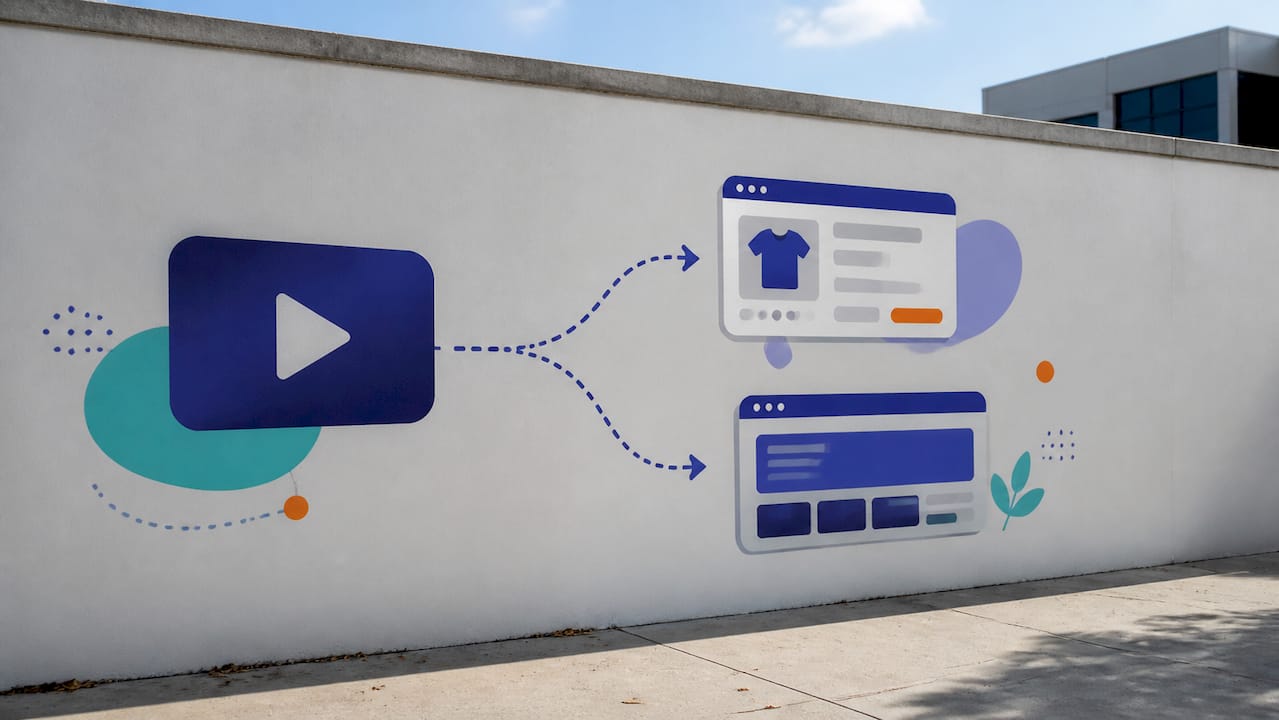
Amazon recommends linking video ads to a Brand Store for brand-building campaigns. If your goal is direct product conversion, a Product Detail Page is the better destination. The catch: some campaign objectives restrict which destinations are available. During campaign setup, the console shows you which destinations are compatible with your chosen goal — check that before you finalize creative.
Pro Tip: If you’re running SBv for a new product launch, start with a Brand Store destination. Shoppers who land on a well-built store browse more products and spend more time with your brand than those who land directly on a single ASIN page.
The creative implications of placement matter. Top-of-search placements reward a strong visual hook in the first second — shoppers are scanning, not watching. Product detail page placements reach shoppers who are already evaluating a specific item, so a direct product comparison or demo tends to outperform a brand-awareness cut.
Technical specs you need to meet before uploading
Amazon’s official ad specs page is the authoritative source for these requirements. The table below covers the core parameters.
Additional technical requirements:
- Video autoplays muted by default — on-screen captions are not just recommended, they’re necessary for the ad to communicate anything before a shopper unmutes
- Avoid letterboxing (black bars top/bottom) or pillarboxing (black bars left/right) — Amazon’s acceptance policy flags these
- Keep important text and CTAs out of the lower-right corner, where the mute/unmute toggle overlays the video
- Use Amazon’s safe-area template when exporting your final cut to verify nothing critical sits in the toggle zone
Pro Tip: Export a test render at 1280×720 and watch it on your phone with the sound off. If you can’t understand what the product does in 5 seconds, the creative needs work before you upload.
Always verify specs against the official ad-specs page before each campaign — Amazon updates requirements periodically, and a file that passed review six months ago may fail today.
Creative best practices that drive unmutes and conversions
The single most important creative rule for SBv: show the product in the first two seconds and communicate its core benefit within the first five. Amazon’s getting-started guide recommends exactly this cadence, and the reasoning is straightforward — most shoppers won’t give you more time than that before scrolling.
Mute-first design is non-negotiable. Voiceover is secondary. Your video needs to work completely on mute, using on-screen text, captions, bold product visuals, and motion to carry the message. Treat audio as an enhancement for the shoppers who do unmute, not as the primary communication channel.
A simple storyboard structure that works:
- Hook (0–2s): Product in frame, ideally in use or against a clean background. One short text overlay naming the product or its primary benefit.
- Benefit/differentiator (2–8s): Show what makes this product different. Use captions. Keep text large enough to read on a 5-inch screen.
- Demo or social proof (8–20s): Product in action, or a brief visual of a key feature. If you have a strong claim (e.g., “waterproof to 100 feet”), this is where it lands.
- End card (final 3–5s): Brand logo, product name, and a clear CTA. Keep it uncluttered.
Amazon Science finding: Research published by Amazon Science using causal-inference analysis found that brands adding SBv to their media mix saw higher CTR and year-over-year sales. Critically, unmuting and watching beyond 5 seconds tend to be associated with stronger CTR performance — meaning the quality of your first 5 seconds likely determines whether the rest of the video ever gets seen.
Pro Tip: For mobile legibility, use a minimum 32px font size for on-screen text at 1920×1080 resolution. Anything smaller disappears on a phone screen.
Logo placement matters less than most sellers think. A small logo in the top-left corner throughout the video is fine. What actually drives performance is whether the product benefit is clear before the shopper’s thumb reaches the scroll.
Targeting options and pricing for Sponsored Brands video
SBv supports three targeting approaches, and you can mix them across campaigns to cover different stages of the funnel.
Targeting types:
- Keyword targeting: match your video to specific search queries; use broad, phrase, and exact match types to control reach vs. precision
- Product targeting: show your video on specific ASINs or product categories; useful for conquesting competitor pages or targeting complementary products
- Category/theme targeting: reach shoppers browsing a product category without tying to specific keywords
Negative targeting is available for both keywords and products — add negatives from day one to prevent wasted spend on irrelevant queries. A practical guide to Amazon negative keywords can help you build a solid exclusion list before launch.
Pricing and bidding:
SBv campaigns offer CPC (cost-per-click) bidding for conversion-focused goals and vCPM (cost per thousand viewable impressions) for awareness objectives. The right choice depends on your campaign goal: if you’re measuring success by sales and CTR, CPC keeps spend tied to clicks; if you’re optimizing for reach and view metrics, vCPM gives you more control over impression volume.
Because SBv runs its own auction, your bids here don’t affect your Sponsored Products or standard Sponsored Brands campaigns. Start with a modest daily budget — enough to accumulate 50–100 clicks per week — and run at least two creative variants simultaneously. After two to three weeks, the performance gap between creatives usually becomes clear enough to pause the weaker one and reallocate budget.
For a broader view of whether paid media makes sense for your catalog, the Amazon PPC worth-it analysis covers ROI expectations across ad types.
How to build and launch a Sponsored Brands video campaign
- Confirm Brand Registry enrollment. Log into Seller Central and verify your brand is registered. Without this, the Sponsored Brands option won’t appear in the campaign creation flow.
- Open Amazon Ads console and select “Create campaign.” Choose Sponsored Brands, then select the Video ad format.
- Choose your landing destination. Brand Store for consideration goals; Product Detail Page for conversion goals. The console flags which destinations are available for your chosen campaign objective.
- Upload your video creative. The console runs an automated file check on upload. Resolve any format or codec errors before proceeding.
- Add your product. Select the ASIN the video promotes. SBv is a single-product format — one ASIN per ad.
- Set targeting. Add keyword lists, product targets, or category targets. Add negative keywords from the start.
- Set budget and bids. Enter a daily budget and your starting CPC or vCPM bid. Amazon shows suggested bid ranges based on recent auction data.
- Submit for review. Amazon’s moderation team reviews creative and policy compliance before the ad goes live; review times can vary, so plan your launch with some buffer.
Pre-launch checklist:
- File format is .MP4 or .MOV, codec matches Amazon’s accepted format (verify against the official ad-specs page), File size stays within Amazon’s current limit (check the official ad-specs page, as this can change)
- No important text or CTAs in the lower-right corner (mute toggle zone)
- Captions present and readable on mobile
- No prohibited claims (superlatives, unsubstantiated health claims, competitor comparisons without substantiation)
- Landing page URL is live and matches the product in the video
- Language in the video matches the marketplace locale
Using Amazon’s creative tools: Amazon Video Generator, available inside the Ads console, lets you create a basic video from product images and text if you don’t have a produced asset. It’s a useful starting point for testing before investing in full production. For more polished assets, Amazon’s creative services or a trusted production partner can help.
Setting initial KPIs: before launch, define what success looks like.
Which metrics actually matter for Sponsored Brands video?
Amazon’s view metrics rollout gave SBv advertisers a full engagement funnel to measure — not just clicks and spend.
| Metric | What it measures | How to use it |
|---|---|---|
| Viewable impressions | Ads shown where the video was actually visible | Baseline reach; compare to total impressions |
| View-through rate (VTR) | % of viewers who watched to completion | Creative quality signal; low VTR = weak hook or too long |
| Viewable CTR (vCTR) | Clicks per viewable impression | More accurate than standard CTR for video |
| 5-second views / rate | Views lasting 5+ seconds | Strongest early engagement signal |
| Quartile views | % reaching 25% and 50% of video | Shows where viewers drop off |
| Unmutes | Viewers who turned on audio | High unmute rate = strong creative interest |
Optimization checklist:
- Low 5-second view rate: the hook isn’t working. Shorten the intro, lead with the product closer to frame, or add a stronger opening text overlay.
- High VTR but low vCTR: shoppers are watching but not clicking. Strengthen the end card CTA or reconsider whether the landing destination matches shopper intent.
- Low unmute rate: the muted experience isn’t compelling enough to earn audio. Improve visual storytelling and on-screen text.
- High spend, low conversions: check keyword relevance, review the landing page, and confirm the product shown in the video matches the ASIN being promoted.
- Weak quartile retention: identify the drop-off point and cut or restructure that segment of the video.
Unmuting and watching beyond 5 seconds are generally considered strong engagement signals linked to CTR and sales lift — so it's often worth optimizing for those two signals before worrying about completion rate. Track campaign health alongside view metrics to catch budget inefficiencies early.
Tools that help you produce and optimize SBv campaigns
Amazon’s native creative tools:
- Amazon Video Generator: available directly in the Ads console; builds a basic video from product images, text overlays, and background music. Good for rapid prototyping.
- Amazon creative services: for brands that need produced assets, Amazon connects advertisers with vetted production partners through its service provider network.
PPC optimization and automation:
Managing SBv alongside Sponsored Products and standard Sponsored Brands campaigns creates a reporting load that spreadsheets handle poorly. Automation tools that track bid changes, harvest converting search terms, and flag underperforming campaigns reduce the manual work significantly.
Selloop’s AI-driven approach is built specifically for this: it analyzes your campaigns, identifies where ad spend is producing weak returns, and gives you data-backed recommendations — which bids to adjust, which search terms to harvest as keywords, which terms to negate. Every change is tracked over a 21-day window so you can see whether the adjustment actually moved the needle. For sellers managing SBv alongside other formats, that longitudinal view is more useful than a snapshot report. Selloop offers a 7-day free trial starting at $29/month.

For a broader comparison of automation approaches, the Amazon advertising AI tool alternatives guide covers the trade-offs across tool categories.
Pro Tip: Automate data collection and bid adjustments, but keep human review for creative decisions. No algorithm can tell you that your hook looks flat on a phone screen — that judgment call still needs a person.
Acceptance criteria and how to avoid rejections
Amazon reviews SBv creatives against two separate criteria sets, and mixing them up is the most common reason for avoidable delays.
Technical rejections (file/spec issues):
- Wrong file format (anything other than .MP4 or .MOV)
- Unsupported codec (check Amazon's official ad specs for the accepted format)
- File size over the current limit specified in Amazon's official ad specs
- Aspect ratio that doesn't match Amazon's required specification (check the official ad specs)
- Letterboxing or pillarboxing present
Creative rejections (policy issues):
- Prohibited claims: unsubstantiated superlatives (“best in the world”), health claims without substantiation, or competitor disparagement
- Text or CTAs placed in the lower-right corner (mute toggle overlap)
- Language in the video doesn’t match the marketplace locale
- Content not suitable for a general audience
- Landing page doesn’t match the product shown or is unavailable
Two-step QA before every upload:
- Spec validation: confirm format, codec, resolution, aspect ratio, file size, and audio specs against the official ad-specs page. Use Amazon’s safe-area template to check the lower-right corner.
- Policy and claims review: read every on-screen text claim and ask whether you can substantiate it on the landing page. Check that the video language matches the marketplace. Confirm the landing URL is live.
If a creative is rejected, Amazon’s moderation feedback identifies the specific reason. Fix only the flagged issue, re-export if it’s a file problem, and resubmit. Resubmitting an unchanged file after a creative rejection wastes review time.
What sellers actually learn after running SBv for a while
The conventional wisdom on Sponsored Brands video is that it’s a brand-awareness play — something you run when you have budget to spare and a polished brand identity. That framing undersells it and leads sellers to deprioritize it.
The more accurate picture: SBv is a conversion tool when the creative is built correctly. The sellers who see the weakest results are the ones who repurpose a 60-second brand film, upload it at 45 seconds, and wonder why VTR is low. The ones who see strong results build a 15–20 second cut specifically for muted autoplay, lead with the product in the first two seconds, and treat the end card as a direct-response element.
The other underappreciated point is testing cadence. Two weeks is not enough time to judge a creative. Three to four weeks of data, with enough impressions to reach statistical significance on your view metrics, gives you a real signal. Sellers who pause creatives after ten days are optimizing noise, not performance.
Budget allocation is also worth rethinking. Because SBv runs its own auction, a modest daily budget — even $15–25/day for a mid-volume keyword set — can generate enough view data to make creative decisions within a month. You don’t need a large budget to learn from this format.