Amazon Ad Tracking for E-Commerce Marketers: 2026 Guide
Amazon ad tracking covers two distinct systems: server-side attribution for on-Amazon ads (Sponsored Products, Sponsored Brands, Sponsored Display) and tag-based measurement for off-Amazon campaigns via Amazon Attribution. If you’re starting from zero, your first move is to confirm you have Amazon Advertising Console access, check the attribution windows on your active Sponsored campaigns, and enable Amazon Attribution for any external traffic you’re sending to Amazon.
The primary tools you need:
- Amazon Attribution — measures how non-Amazon channels (search, social, display, video, email, affiliates) drive on-Amazon sales
- Amazon Ads Console — your default dashboard for on-Amazon campaign reporting
- Amazon Ads API / Attribution API — programmatic access for automated tag generation and reporting
- Amazon Marketing Stream — near-real-time hourly data pushed to your data pipeline
- Selloop — operational validation layer that applies PPC changes and tracks results over a 21-day window to confirm whether they worked
Table of Contents
- What is Amazon Attribution and what does it actually measure?
- How does Amazon ad tracking actually work under the hood?
- Who can use Amazon Attribution and how do you set it up?
- Where do you get reports, and which reporting path fits your needs?
- Which metrics actually matter for monitoring Amazon ad performance?
- What Amazon Attribution won’t show you, and where tracking breaks
- Implementation checklist: validate tracking end-to-end before you scale
- Best practices for turning attribution data into budget and bid decisions
- How Selloop operationalizes change tracking over 21 days
- Key Takeaways
- The measurement work most sellers skip
- Selloop turns Amazon tracking data into confirmed results
- Useful sources for deeper reading
What is Amazon Attribution and what does it actually measure?
Amazon Attribution is Amazon’s free measurement tool for connecting external marketing activity to on-Amazon shopping behavior. It answers the question every brand owner eventually asks: “Is my Google campaign actually selling product on Amazon, or am I just burning budget?”
Attribution tracks non-Amazon channels including paid search, organic social, paid social, display, video, email, and affiliate or influencer links. When a shopper clicks a tagged URL from any of those sources and then takes action on Amazon, Attribution records it. The events it captures span the full purchase funnel: detail page views, add-to-carts, purchases, and new-to-brand orders.

The attribution model is last-touch with a 14-day window. A shopper who clicks your Facebook ad on Monday and buys on Thursday gets credited to that Facebook campaign. A shopper who clicks on Monday and buys 15 days later does not.
What Attribution does not do is equally worth knowing. It doesn’t replace the server-side attribution that already runs automatically for your Sponsored ads. It also won’t measure off-site sales or any Amazon activity that happens without a tagged click. If you’re running display ads without Attribution tags in the destination URLs, those campaigns are invisible to this system.
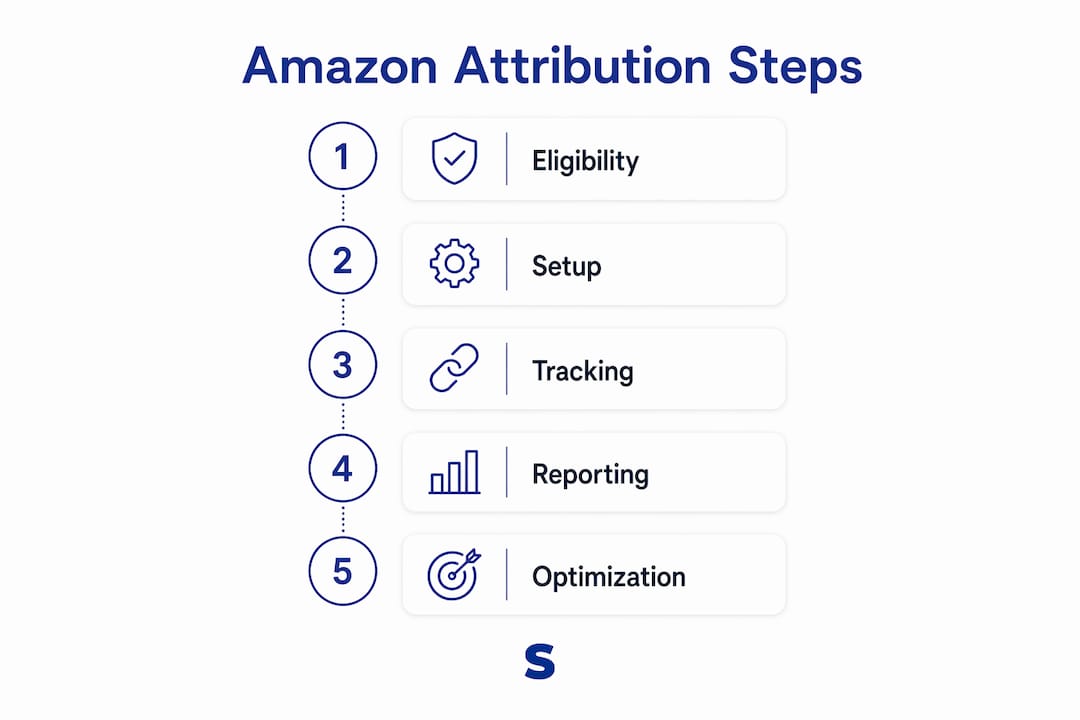
Eligibility: Amazon Attribution is available to professional sellers enrolled in Brand Registry, vendors, Kindle Direct Publishing authors, and agencies or tool providers accessing it through the Amazon Ads API. Basic seller accounts without Brand Registry cannot use it.
How does Amazon ad tracking actually work under the hood?
The architecture splits cleanly into two models, and mixing them up is where most measurement gaps come from.
On-Amazon tracking: server-side, no setup required
Sponsored Products, Sponsored Brands, and Sponsored Display all use server-side closed-loop attribution. Amazon records the ad click on its own infrastructure and matches it to subsequent purchase events in its transaction database. No pixel, no tag, no JavaScript. The attribution happens entirely within Amazon’s ecosystem.
Attribution windows differ by ad type:
- Sponsored Products: 7-day click attribution window
- Sponsored Brands: 7-day click attribution window
- Sponsored Display: 14-day click attribution window
That 7-day vs. 14-day gap matters more than most sellers realize. A Sponsored Products campaign and a Sponsored Brands campaign running simultaneously on the same keyword will attribute the same conversion differently depending on which ad the shopper clicked last and when.
Off-Amazon tracking: tag-based, requires implementation
For external campaigns, Amazon Attribution uses URL parameters appended to your destination links. When a shopper clicks a tagged URL, Amazon captures the click event and links it to that shopper’s subsequent Amazon activity using its own identity graph. The Amazon Ad Tag (a DSP pixel) extends this to site-level conversion tracking for advertisers running Amazon DSP.

Where data lives and how fast it arrives:
| Reporting path | Latency | Granularity | Best use case |
|---|---|---|---|
| Ads Console / Attribution dashboard | 24–48 hours | Campaign, ASIN | Day-to-day monitoring |
| Downloadable Excel reports | 24–48 hours | Campaign, creative, keyword | Weekly analysis |
| Amazon Ads API / Attribution API | 24–48 hours | Campaign, keyword, ASIN | Automated reporting, BI integration |
| Amazon Marketing Stream | Hourly | Campaign, keyword | Mid-flight optimization |
| Amazon Marketing Cloud (AMC) | 48 hours | Event-level (pseudonymized) | Path-to-conversion, incrementality |
Amazon Marketing Stream pushes hourly performance data to Amazon SQS or Kinesis, which is the only way to get near-real-time signals for mid-flight budget decisions. AMC is a privacy-safe clean-room environment where you can run SQL queries against pseudonymized event-level data for cross-campaign attribution and path analysis.
Pro Tip: Before you launch any off-Amazon campaign, test the full click path yourself. Click the tagged URL, land on the Amazon product page, and check that the maas parameter is present in the URL. If it’s stripped, your publisher’s redirect is breaking attribution before a single real shopper arrives.
Who can use Amazon Attribution and how do you set it up?
Eligibility is straightforward, but the setup has a few steps where things commonly go wrong.
- Confirm eligibility. You need Brand Registry (for sellers), a vendor account, a KDP account, or API access through a registered tool provider or agency. Standard seller accounts without Brand Registry are not eligible.
- Sign in to the Amazon Advertising Console at advertising.amazon.com and navigate to Measurement & Reporting > Amazon Attribution.
- Create a new order (Attribution uses “orders” as the campaign container). Name it to match your external campaign for easy cross-referencing.
- Select your advertised ASINs or Store page. Choose the specific products you want to track. If you’re sending traffic to a Store, select the Store URL as the destination.
- Generate a unique tag per tactic. Create one tag for each channel and ad variation you want to measure separately. A single tag for all of Facebook gives you channel-level data; separate tags per ad set give you creative-level data.
- Copy the tag URL and paste it as the destination URL in your external ad platform. In Google Ads, this goes in the Final URL field. In Meta Ads Manager, it replaces the Website URL. For email, it replaces the plain product link.
- Pass tags to publishers correctly. If you’re working with affiliates or influencer partners, send them the full tagged URL. Do not let them shorten or redirect it without confirming the
maasparameter survives. - Monitor the first 24–48 hours. Check the Attribution dashboard for detail page view activity. If you see clicks in your ad platform but zero detail page views in Attribution, the tag is broken.
Common setup failures: The maas parameter getting stripped by a redirect, wrong ASIN entered during tag creation, URL-encoding errors when the destination URL contains special characters, and publisher ad platforms that auto-append their own UTM parameters in ways that overwrite the Attribution tag.
Where do you get reports, and which reporting path fits your needs?
Amazon’s reporting options range from a simple console dashboard to a full clean-room analytics environment. The right choice depends on your team’s technical capacity and how fast you need to act on data.
The Attribution dashboard inside the Ads Console is the starting point for most sellers. It shows detail page views, add-to-carts, promoted conversions, and total conversions (which include brand halo sales from other ASINs). You can download reports as Excel files for offline analysis or share with stakeholders.
The Amazon Ads API and Attribution API let tool providers and in-house engineering teams automate tag generation, pull reports programmatically, and feed data into BI platforms like Tableau, Power BI, or Google Sheets. Reports are generated asynchronously, so you request a report, wait for it to process, then download. For agencies managing multiple clients, integrating Attribution data into a client reporting workflow saves significant manual work.
Amazon Marketing Stream is the right choice when you need to act on data the same day. Hourly data pushed to your AWS infrastructure means you can catch a campaign that’s burning budget on a bad day-of-week pattern before the week ends. The tradeoff is setup complexity: you need AWS infrastructure and engineering time to consume the stream.
Amazon Marketing Cloud (AMC) sits at the advanced end. It’s a clean-room environment where you write SQL queries against pseudonymized event-level data. The practical use case is path-to-conversion analysis: understanding whether shoppers who saw a Sponsored Display ad before clicking a Sponsored Products ad convert at a higher rate than those who only saw one touchpoint. AMC also supports incrementality testing by letting you compare exposed vs. unexposed cohorts.
- Use the console for daily monitoring and quick checks
- Use the API when you need automated reporting or BI integration
- Use Marketing Stream for mid-flight budget and bid decisions
- Use AMC for incrementality tests and multi-touch path analysis
- Use Omnichannel Metrics (OCM) when you need to connect Amazon ad performance to broader cross-channel measurement beyond Amazon’s own ecosystem
Which metrics actually matter for monitoring Amazon ad performance?
Amazon advertising metrics fall into two categories: efficiency metrics that tell you how well your spend is converting, and growth metrics that tell you whether that spend is building the business or just harvesting existing demand.
The core efficiency metrics:
- ACoS (Advertising Cost of Sales): Ad spend divided by ad-attributed sales, expressed as a percentage. ACoS means the percentage of ad spend relative to attributed sales, with lower values generally indicating better efficiency. Lower is better, but “good” ACoS depends on your margin.
- ROAS (Return on Ad Spend): The inverse of ACoS. Sales divided by spend. ACoS and ROAS are inverse metrics, allowing you to understand ad spend efficiency and revenue return respectively. Amazon now reports both, so you can use whichever your stakeholders prefer.
- TACoS (Total Advertising Cost of Sales): Ad spend divided by total sales (organic plus paid). This is the metric that reveals whether your ads are growing the business or just shifting organic buyers to paid clicks. If your ACoS is flat but TACoS is falling, organic sales are growing alongside ads.
- New-to-Brand (NTB): Orders from customers who haven’t purchased from your brand on Amazon in the past 12 months. Available for Sponsored Brands, Sponsored Display, and DSP. If your NTB percentage is low, you’re mostly re-selling to existing customers.
The funnel metrics from Attribution:
- Detail page views (DPV): How many shoppers landed on your product page after clicking a tagged external ad. High DPV with low conversion points to a listing problem, not a traffic problem.
- Add-to-carts: A mid-funnel signal. Useful for diagnosing where shoppers drop off.
- Promoted conversions vs. total conversions: Promoted conversions are purchases of the specific ASINs you tagged. Total conversions include brand halo sales, meaning purchases of other products in your brand that the same shopper bought during the attribution window. For multi-product brands, the gap between these two numbers shows how much cross-ASIN lift your campaigns generate.
A falling ACoS with flat revenue usually means you’ve tightened bids enough to reduce spend, but you haven’t grown sales. That’s efficiency without growth. TACoS tells you the fuller story: if total sales are also flat, you may have cut bids too aggressively and lost organic rank in the process. For deeper guidance on interpreting these signals together, the Amazon ad optimization guide on Selloop’s blog covers the interplay between ACoS, TACoS, and organic halo in detail.
Minimum sample windows matter too. Don’t make bid decisions on fewer than two weeks of data for any keyword with low click volume. Short windows produce noisy signals that lead to over-optimization.
What Amazon Attribution won’t show you, and where tracking breaks
Every measurement system has blind spots. Knowing Amazon Attribution’s limits keeps you from making confident decisions on incomplete data.
Structural limitations:
- Last-touch bias. Attribution credits the last clicked channel before purchase. A shopper who saw your YouTube ad, then your Google Shopping ad, then clicked your email link gets the conversion credited entirely to email. The YouTube and Google spend that influenced the decision gets nothing.
- Cross-device gaps. If a shopper clicks your ad on mobile but completes the purchase on desktop while logged into a different Amazon account, Attribution may not connect those events.
- View-through attribution limits. Standard Amazon Attribution does not credit impressions, only clicks. A display ad that influenced a purchase without a direct click is invisible to Attribution.
- Privacy and sampling delays. Amazon applies privacy thresholds that can suppress data for small sample sizes. If a campaign generates very few clicks, some metrics may be withheld or delayed.
- Brand halo ambiguity. Total conversions include brand halo sales, but Attribution can’t tell you why a shopper bought a second product. It may be genuinely influenced by the ad, or it may be a coincidental purchase in the same session.
Common implementation failures:
- Malformed tags where URL encoding breaks the
maasparameter - Publisher redirect chains that strip query parameters before the shopper reaches Amazon
- Mismatched ASINs between the tag setup and the actual destination product
- Attribution windows expiring before a slow-converting campaign’s shoppers complete their purchase cycle
- On-Amazon closed-loop attribution running alongside Attribution tags without a clear protocol for which system “owns” a conversion, leading to double-counting in manual reporting
The most dangerous blind spot is relying on on-Amazon attribution alone and concluding that off-Amazon channels don’t work. Without Attribution tags on your external campaigns, you simply have no data. The absence of evidence isn’t evidence of absence.
Implementation checklist: validate tracking end-to-end before you scale
Getting tracking right before you spend is faster than diagnosing broken data after the fact.
- Confirm account permissions. Verify you have Advertising Console access with the correct advertiser account linked. For agencies, confirm the client account is connected via the API or console access grant.
- Check Brand Registry status. Attribution requires Brand Registry enrollment. If it’s pending, pause until it’s confirmed.
- Audit destination URLs. Every product URL you plan to tag should resolve correctly, load the right ASIN detail page, and not redirect through a third-party link shortener that strips parameters.
- Create the Attribution order and generate tags. One tag per channel-tactic combination. Name tags clearly (e.g., “Google_Brand_Search_July2026”) so reports are readable without a decoder ring.
- Insert tags in each publisher platform. Google Ads: Final URL field. Meta Ads Manager: Website URL field. Email: replace the plain product link with the tagged version. Affiliate partners: send the full tagged URL with instructions not to modify it.
- Run a test click. Click the tagged URL yourself from outside your Amazon seller account. Confirm the
maasparameter is present in the browser address bar on the Amazon product page. - Monitor the first 24–48 hours. Check Attribution for detail page view activity. Even a handful of real clicks should show up within 48 hours.
- Verify brand halo behavior. After a few days of real traffic, check whether “Other SKU sales” appear in total conversions. If you sell multiple products and see zero brand halo, investigate whether the correct brand entity is mapped.
- Troubleshooting flow: No data after 48 hours? Check tag URL syntax first, then confirm the publisher isn’t rewriting the URL, then verify the attribution window hasn’t been set incorrectly, then confirm ASIN mapping in the tag setup.
Pro Tip: For tracking implementation, run a test purchase using a personal Amazon account (not your seller account) after clicking a tagged URL. Then check Attribution for that order. If it appears, your end-to-end flow is confirmed. If it doesn’t, you’ve found the break before real campaign spend is at risk.
Best practices for turning attribution data into budget and bid decisions
Attribution data is only useful if it changes what you do. The gap between having the data and acting on it correctly is where most optimization errors happen.
Design for incrementality, not just correlation. Last-touch attribution tells you which channel got the last click. It doesn’t tell you whether that channel caused the purchase. To measure true lift, run holdout experiments: pause a channel for a defined period in a matched audience segment and compare conversion rates. AMC supports this type of analysis with its cohort query capabilities.
Use multi-metric decision rules. Never move budget based on ACoS alone. Require that ROAS, TACoS, and NTB all point in the same direction before making a significant budget shift. A channel with strong ACoS but zero NTB is harvesting existing customers. A channel with weak ACoS but high NTB may be worth sustaining for long-term brand growth.
Set minimum evaluation windows. For any budget or bid change, commit to a minimum observation period before judging results. Two weeks is a floor for most campaigns; four weeks is more reliable for lower-volume keywords. Changes made and reversed within days produce noise, not signal.
Structure mid-flight experiments deliberately. When testing a creative swap or audience change, change one variable at a time. Document the change, the date, and the expected metric impact before you make it. Then check results against that hypothesis, not against whatever metric happens to look good in hindsight.
- Feed Attribution data into your BI stack via the API to create a single view of on-Amazon and off-Amazon performance alongside organic metrics
- Use Marketing Stream’s hourly data to catch budget waste on poor-performing days or dayparts before the week ends
- Monitor TACoS weekly, not just ACoS, to track whether paid spend is growing total sales or cannibalizing organic
Pro Tip: When you merge Attribution data with your Ads Console data in a BI tool, add a column for organic sales (total sales minus ad-attributed sales). Watching that ratio over time is the clearest signal of whether your advertising is building brand equity or just renting sales.
How Selloop operationalizes change tracking over 21 days
Most sellers have a version of the same problem: they make a bid change or add a negative keyword, then check results three days later, see noise, and either revert too early or declare victory too soon. The measurement window is the issue, not the change itself.
The operational gap is that Amazon’s native tools show you what happened, but they don’t automatically connect a specific change you made to the outcome that followed. You have to do that manually, which means spreadsheets, date-stamped notes, and a lot of human error.
Selloop addresses this directly. When you apply a recommendation through Selloop (a bid adjustment, a keyword harvest, a negative keyword addition), the platform records the change and tracks the relevant metrics for the following 21 days. At the end of that window, you can see whether the change produced the expected outcome, a neutral result, or a negative one. The campaign health scoring system flags campaigns that are spending heavily with poor returns, so you’re not manually hunting for problems across dozens of ad groups.
How the workflow fits with Attribution and API data:
- Amazon Ads API feeds campaign performance data into Selloop’s analysis engine
- Selloop identifies high-spend/low-return scenarios and generates data-justified recommendations
- You approve a change with one click; Selloop applies it directly to Amazon
- The 21-day tracking window begins automatically
- At day 21, the result dashboard shows the before/after comparison for that specific change
A practical example of the framework: a seller running Sponsored Products on a broad-match keyword sees high spend with low conversion. Selloop flags it, recommends a bid reduction and a set of negative keywords based on the search term report. The seller approves. Twenty-one days later, ACoS on that campaign has dropped and total sales are flat, confirming the change reduced waste without hurting revenue. That’s a keep decision. If total sales had also dropped, the data would support a rollback or a partial reversal.
- The 21-day window reduces false positives from short-term noise
- Automated change application removes the manual error of applying the wrong bid to the wrong ad group
- Smart alerts surface new problems as they emerge, so the optimization cycle continues without requiring daily manual audits
Key Takeaways
Effective Amazon ad tracking requires both on-Amazon server-side attribution for Sponsored ads and tag-based Amazon Attribution for external channels, with a 21-day validation window to confirm whether optimization changes actually worked.
| Point | Details |
|---|---|
| Enable Amazon Attribution first | If you’re eligible (Brand Registry required), enable Attribution before running any off-Amazon campaigns. |
| Know your attribution windows | Sponsored Products and Sponsored Brands use a 7-day window; Sponsored Display uses 14 days; Attribution uses 14 days for off-Amazon channels. |
| Track TACoS, not just ACoS | TACoS (ad spend divided by total sales) reveals whether ads are growing the business or shifting organic buyers to paid clicks. |
| Validate changes over 21 days | Short observation windows produce noisy signals; a 21-day window gives enough data to distinguish real improvement from random variation. |
| Selloop automates change tracking | Selloop applies PPC changes, tracks results for 21 days, and flags high-spend/low-return campaigns so you can act on confirmed signals. |
The measurement work most sellers skip
Most sellers who struggle with Amazon advertising aren’t failing at bidding strategy. They’re failing at measurement discipline. They optimize ACoS in isolation, declare a campaign successful after a week of good data, and never check whether total sales actually grew or whether organic rank quietly declined while paid efficiency improved.
The fixation on ACoS is understandable. It’s the metric Amazon surfaces most prominently, and it’s easy to improve in the short term by simply cutting bids. But a falling ACoS with flat or declining TACoS is a warning sign, not a win. It often means you’ve reduced paid visibility enough to slow organic momentum, and the efficiency gain is temporary.
The sellers who get measurement right tend to do three things differently. They fix their tracking infrastructure first (tags, windows, API access) before drawing any conclusions from the data. They use TACoS and new-to-brand as the primary growth signals, with ACoS as a secondary efficiency check. And they commit to minimum evaluation windows before acting on any change, which is harder than it sounds when a campaign looks bad after three days and the instinct is to fix it immediately.
The prioritization is straightforward: fix tags and attribution windows this week, set up API or Marketing Stream access this month, and run your first incrementality test this quarter. Each step builds on the last, and the compounding effect of reliable data is faster and more durable than any single bid optimization.
Selloop turns Amazon tracking data into confirmed results
If you’ve read this far, you understand the measurement infrastructure. The harder part is turning that data into changes you can trust. Selloop is built specifically for that gap: it analyzes your Sponsored Products and Sponsored Brands campaigns, identifies where budget is going to waste, and gives you clear, data-backed recommendations with one-click application directly to Amazon.
What makes Selloop different from a reporting dashboard is the 21-day change-tracking window. Every bid adjustment, keyword harvest, or negative keyword you apply through Selloop gets tracked automatically against the metrics that matter, so you know whether the change worked before you scale it. Campaign health scoring surfaces high-spend/low-return campaigns without manual digging. Smart alerts flag new problems as they appear.
Plans start at €29/month with a 7-day free trial, no long-term contract required. If you’re managing Amazon PPC and spending more time in spreadsheets than making decisions, Selloop is worth testing.
Useful sources for deeper reading
- Amazon Attribution basics guide — Amazon’s official walkthrough of how Attribution works, tag setup, and the 14-day window methodology.
- Amazon Attribution product page — Overview of eligibility, API access for tool providers, and feature summary.
- Ad campaign attribution guide — Official documentation on on-Amazon attribution windows by ad type (Sponsored Products, Brands, Display).
- Measurement & analytics overview — Amazon’s hub for Marketing Stream, Omnichannel Metrics, AMC, and broader measurement solutions.
- Campaign reporting guide — Detailed breakdown of available metrics in the Ads Console, including new-to-brand, brand halo, and long-term sales.
- Amazon Ads tracking technical docs — Technical reference covering Attribution tag implementation, the Amazon Ad Tag for DSP, and AMC query examples.
- Selloop.ai — AI-driven Amazon PPC optimization with 21-day change tracking, campaign health scoring, and automated keyword management.