Aggressive bidding on Amazon means raising your maximum cost-per-click and stacking placement multipliers to compete for more impressions than a standard bid would win. The core rule is simple: only push bids higher once your listing converts well and your budget can absorb the extra spend. Done right, aggression targets exact match and specific placements. Done account-wide with no conversion data behind it, it just burns cash faster.
TL;DR:
- Aggressive bidding on Amazon is most effective when your listing already converts well, has good inventory, and your budget can handle higher costs.
- Dynamic bids up and down can increase bids significantly on top search placements, but setting a high base bid without conversion proof risks wasted ad spend.
- Structuring campaigns with separate exact, phrase, and broad match targeting ensures better control over aggressive bids and prevents wastage on low-converting search terms.
- A full 21-day testing cycle, with one variable change at a time and thorough tracking, is essential to accurately measure the effectiveness of bid adjustments.
- Running aggressive bids during seasonal spikes or promotional periods can lead to noise in performance data, making results unreliable and risky.
Table of Contents
- What are Amazon’s bidding controls and how do they work?
- When does aggressive bidding actually make sense?
- Building the aggressive bidding playbook: match types, ladders, and placements
- How to measure whether aggressive bids are actually working
- Why aggressive bids underperform and how to fix it fast
- A 21-day framework for testing aggressive bids with confidence
- Aggression without a plan is just spending faster
- Running aggressive bidding tests without the manual overhead
- Sources
- FAQ
What are Amazon’s bidding controls and how do they work?
Amazon gives advertisers three bidding modes for Sponsored Products, and each one changes how aggressive your campaign actually gets. Sponsored Products run on a pay-per-click model with no monthly fees: you set a bid and a daily budget, and you pay only when someone clicks.
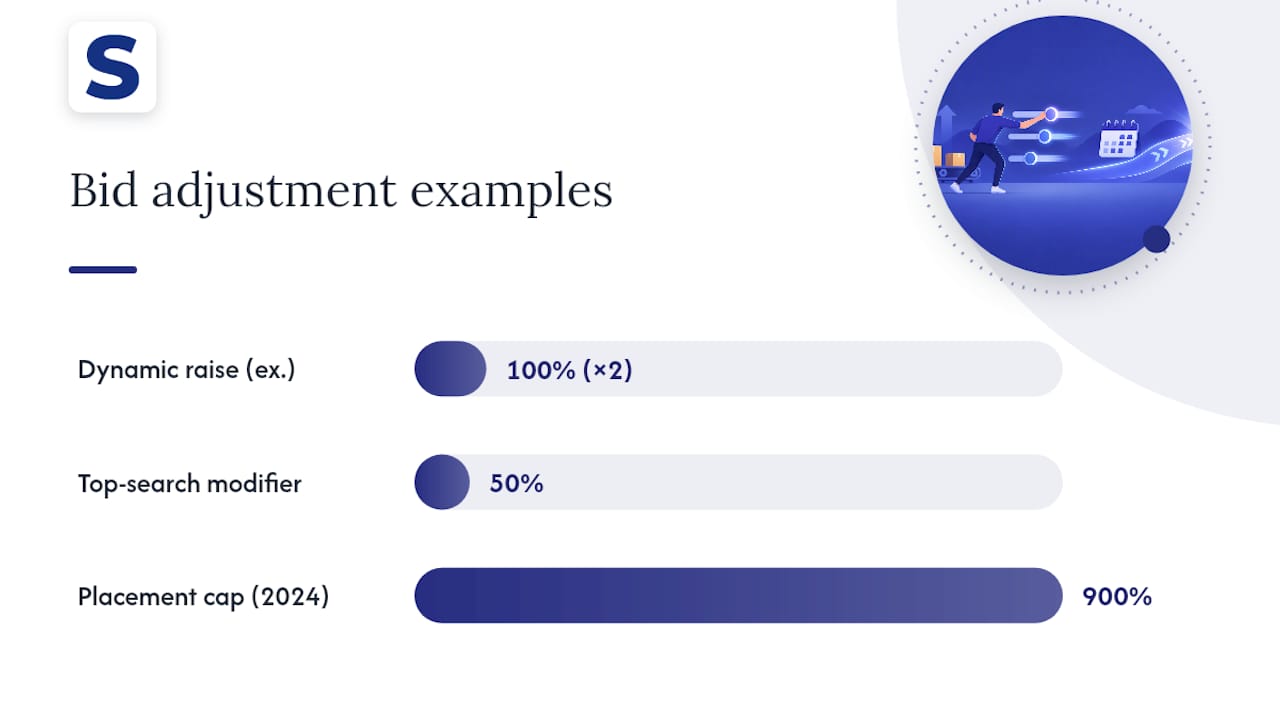
Dynamic bids, up and down, is the most aggressive of the three. Amazon can raise your bid automatically when it predicts a click is likely to convert, and for top-of-search placements, Amazon can raise your bid significantly over your base bid, according to Amazon’s dynamic bidding guide. Set a $1.00 base bid with this setting active, and your actual auction bid on a strong top-of-search opportunity could hit $2.00.
Dynamic bids, down only is the conservative default. Amazon will lower your bid when a win looks unlikely to convert, but it never raises it above what you set. This is the setting most campaigns should run until they have evidence that up-and-down aggression pays off.
Fixed bids remove Amazon’s real-time adjustment entirely. Your bid stays exactly where you place it, which makes fixed bids useful for controlled tests where you want to isolate the effect of a placement modifier without a second variable moving underneath it.
Placement modifiers stack on top of whichever bidding mode you choose, and this is where spend can escalate fast:
- Top-of-search modifier: raises your bid by a percentage you set specifically for the first page’s top slots, where competition and cost per click both run higher.
- Rest-of-search modifier: adjusts bids for search results outside the top slots. Amazon’s 2024 update to placement bid adjustments lets this modifier reach up to 900%, which is a far wider range than most sellers expect.
- Product pages modifier: adjusts bids specifically for placements on competitor or complementary product detail pages.
The distinction that trips people up is base bid versus actual auction bid. Your base bid is the number you type into the campaign. The actual auction bid is what Amazon uses once dynamic bidding and placement modifiers have both applied, and those two layers compound. A $1.00 base bid with up-and-down dynamic bidding active and a 50% top-of-search modifier does not simply add to $1.50: Amazon can apply the dynamic increase on top of the modifier, meaning the effective ceiling lands well above what a quick mental calculation suggests. Set your base bid only after you have confirmed you can tolerate that ceiling, not the number you started with.
When does aggressive bidding actually make sense?
Aggressive bidding is a lever for campaigns that already convert, not a fix for ones that don’t. Before you raise a single bid, run through a readiness check:
- Conversion rate: your listing should already be converting at a rate that makes more clicks profitable, not just more visible.
- Listing quality: main image, price competitiveness, and review count should all be in reasonable shape. Aggressive bids on a weak listing just buy more impressions that bounce.
- Inventory availability: don’t chase more clicks on a product that will stock out in two weeks.
- Budget buffer: your daily budget needs room to absorb higher costs per click without hitting the ceiling by mid-morning.
Your objective should also drive which lever you pull. A new launch chasing visibility might justify aggressive top-of-search bids for a short window to build initial sales velocity. A clearance situation might call for aggressive bids paired with a lower price to move inventory fast. Scaling an already-profitable keyword is the cleanest case: you have data showing it converts, and aggression there is buying more of something that already works.
Before raising anything, check the Budget Report. It shows average time in budget and estimates missed impressions, clicks, and sales caused by budget exhaustion rather than by low bids.
Amazon’s Budget Report separates two distinct problems that look identical from the outside: a bid too low to win auctions, and a budget too small to capture the auctions you’re already winning. Raising bids solves the first problem and does nothing for the second, so check the report before you touch a single bid.
Building the aggressive bidding playbook: match types, ladders, and placements
Once you’ve confirmed the listing and budget can support it, structure matters more than the size of any single increase.
- Split discovery from domination. Run automatic campaigns, or manual broad and phrase campaigns, to surface new search terms. Run a separate manual exact-match campaign for proven converters. Amazon’s own targeting guide recommends this structure specifically so exploratory traffic never competes for the same budget as your best-performing terms.
- Bid highest on exact, lower on phrase, lowest on broad. This ladder reflects how much certainty you have about intent: exact match tells you exactly what the shopper searched, broad match is a guess.
- Start with modest increases. Move bids up by 20% to 30% on a target, not double overnight. Escalate only after you see the result, not before.
- Test one placement modifier before adding a second. Raise the top-of-search modifier and hold everything else fixed for one full observation window. Adding a top-of-search increase and a rest-of-search increase in the same week makes it impossible to tell which one moved your results.
- Mine the Search Term Report weekly. This report is the operational backbone of aggressive bidding: it shows the actual queries triggering your ads. Pull converting queries into exact-match campaigns with higher bids, and push irrelevant or low-converting queries into your negative keyword list.
- Change one variable at a time. If you raise a bid and adjust a placement modifier in the same session, you’ll never know which change produced the result you’re seeing.
- Keep a change log. Date, campaign, variable changed, old value, new value. It sounds tedious until you’re three weeks into a test trying to remember what you touched and when.
- Cap daily budgets during the test window. An aggressive bid with an uncapped budget is how a single bad day turns into a bad month.
Negative targeting deserves its own line item here, not an afterthought. Amazon’s targeting guidance notes that excluding irrelevant queries and ASINs can improve click-through rate, ROAS, and effective cost per click, because every dollar spent on a mismatched query is a dollar not available for a converting one. Aggressive bidding without an active negative keyword practice is like flooring the accelerator with the parking brake half engaged: you’re spending more to overcome friction you could have removed instead. For a full walkthrough on building that negative list, see Selloop’s guide to negative keywords.
Pro Tip: Raise the exact-match bid on a keyword only after it has generated enough clicks to trust its conversion rate, not just enough impressions to look promising.
How to measure whether aggressive bids are actually working
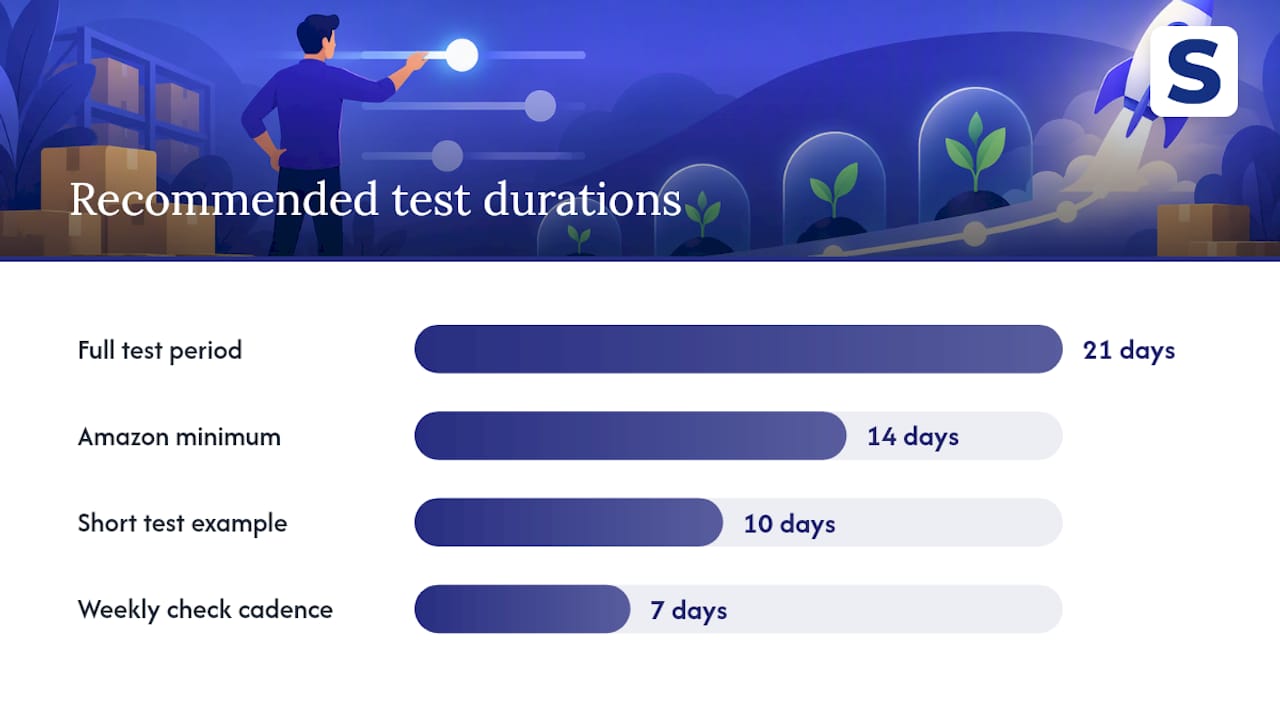
The biggest mistake in aggressive bidding isn’t the bid itself, it’s judging the result too early. Amazon’s dynamic bidding guidance recommends reviewing performance approximately every two weeks and limiting how many changes you make while a test is running, so you can attribute any shift in performance to the specific edit you made. That two-week window is a reasonable floor. A 21-day window is a more robust default, because it covers a full weekday and weekend cycle twice over and gives Amazon’s auction system enough time to stabilize around your new bid before you draw a conclusion.
During that window, track these metrics together rather than in isolation:
- CPC and impressions: the direct effect of the bid change itself.
- Clicks and conversion rate: whether the extra impressions are converting at a rate that justifies the extra cost.
- ACoS and TACoS: advertising cost of sale for the campaign, and total advertising cost of sale across the account, to catch cases where a campaign looks efficient in isolation but is cannibalizing organic sales.
- ROAS: return on ad spend, the plainest read on whether the increase paid for itself.
- Average time in budget and estimated missed sales: pulled from the Budget Report, to confirm the bottleneck really was the bid and not the budget.
Amazon’s guidance to limit simultaneous changes while testing exists because the auction system responds to more than one lever at once, and untangling which lever moved the result after the fact is close to impossible. That’s the single biggest reason aggressive bidding tests fail to produce a usable answer.
Use the Placement Report alongside the Budget Report to decide which lever to pull next. If time-in-budget is high and missed sales are low, your budget isn’t the constraint, so a bid increase is the right move. If missed sales are climbing, raise the budget before you raise the bid, because you’re leaving winnable auctions on the table for a reason that has nothing to do with how much you’re offering per click.
One more caution: don’t launch an aggressive bidding test during a seasonal spike or a promotional period. Black Friday week or a lightning deal will distort every metric you’re trying to read, and you’ll draw conclusions from noise instead of signal. Wait for a representative period, then run your 21 days.
Why aggressive bids underperform and how to fix it fast
When an aggressive bidding test goes wrong, it usually shows up as one of three patterns.
- Rising CPC with falling conversion rate: you’re winning more expensive placements, but the traffic quality behind them is weaker than what you were getting before.
- Cost spikes concentrated in top-of-search: the placement modifier is doing exactly what it’s designed to do, buying premium position, but the extra cost isn’t converting into proportional sales.
- Budget exhausted by midday: your daily budget is capped too low for the new bid level, so you’re missing the afternoon and evening shopping hours entirely.
The fixes are usually faster than the diagnosis. Start by dialing back the placement modifier that’s driving the spike rather than abandoning the whole test. Tighten match types back to exact if broad or phrase targets are pulling in the weak traffic. Add the offending search terms to your negative list immediately rather than waiting for the next scheduled review. Pause individual keywords or ASINs that show a clear pattern of clicks without conversions over a meaningful sample, not just one or two clicks.
If none of that stabilizes performance within your observation window, roll back to down-only dynamic bidding or a fixed bid at your previous level. Stage the retreat rather than reversing everything at once: drop the placement modifier first, watch for a few days, then adjust the base bid if the problem persists. A staged rollback preserves whatever gains the test did produce while cutting off the part that isn’t working.
A 21-day framework for testing aggressive bids with confidence
The two-week window Amazon recommends is a reasonable minimum, but a full 21 days gives a cleaner read, particularly for accounts with lower daily traffic where a two-week sample can still be thin. Twenty-one days covers three weekly cycles, which smooths out the day-to-day noise that makes a seven or ten day test misleading, and it’s the tracking period Selloop’s platform applies to every recommendation it makes.
A practical checklist for running this discipline yourself, with or without software:
- Test one variable per campaign per cycle. A bid change, a placement modifier, or a match type shift, never more than one at a time.
- Set a minimum data threshold before drawing conclusions. A handful of clicks tells you nothing about conversion rate; wait for a sample large enough to trust.
- Maintain a running change log with dates, campaigns, old and new values, and the reason for each change.
- Harvest negatives on a fixed cadence, weekly at minimum, pulled straight from the Search Term Report rather than left until performance already looks bad.
Pro Tip: Log the reason for a bid change alongside the number itself. “Raised because conversion rate held above target for two weeks” is far more useful three weeks later than a bare number with no context.
You can run this entire process manually with the Search Term Report, the Budget Report, and a spreadsheet, and plenty of sellers do exactly that. The tradeoff is time: pulling reports, cross-referencing placement data, and remembering which variable changed when is a real workload once you’re managing more than a handful of campaigns. Selloop’s optimization profiles automate this same 21-day tracking discipline and surface the recommendation with the data behind it, so the manual version above becomes optional rather than mandatory.
Aggression without a plan is just spending faster
The uncomfortable truth about aggressive bidding is that most sellers reach for it as a growth tactic when it’s really a scaling tactic. It amplifies what’s already working; it does not fix a listing that converts poorly or a product with weak reviews. Raise bids on a weak foundation and you’ve just found a faster way to lose money.
The sellers who get real value from aggressive bidding are the disciplined ones, not the bold ones. They fix the listing first. They confirm the budget can absorb the increase. They change one variable, log it, and wait out a full observation window before touching anything else. That patience feels slow next to the appeal of flipping a switch and watching impressions climb, but it’s the difference between a bid increase that compounds into profit and one that just compounds into cost.
If there’s one habit worth adopting from this playbook, it’s the 21-day discipline paired with the readiness checklist above. Skip either one, and aggressive bidding stops being a lever and starts being a gamble.
— Selloop
Running aggressive bidding tests without the manual overhead
Everything in this playbook is doable by hand, but the reporting and tracking work adds up fast once you’re running tests across more than a couple of campaigns. Selloop is built around the same 21-day tracking window described above, applied automatically to every recommendation it generates.
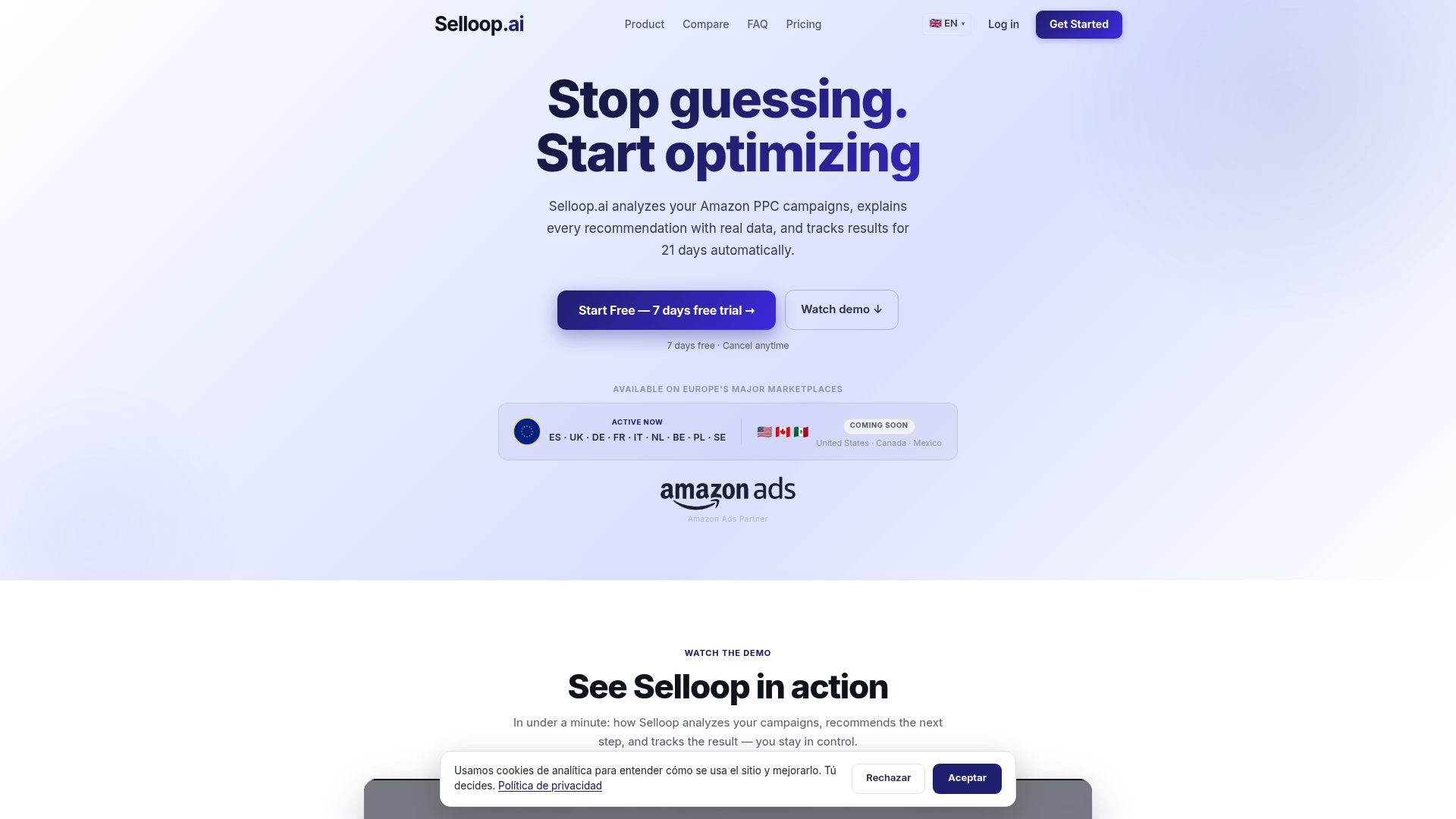
The platform’s optimization profiles let you choose how far to push: conservative, balanced, or aggressive, depending on how much risk a given campaign or account can tolerate. Underneath those profiles, Selloop analyzes campaign performance, flags high-spend low-return targets, and generates recommendations with the exact data behind each one, so you’re not guessing whether a bid increase is justified before you make it. Negative keyword harvesting runs on the same cadence the playbook above recommends, pulling from search term data rather than waiting for a scheduled review.
A trial account gives you a full 21-day cycle to observe bid changes and their impact on campaign performance. Plans start with STARTER at $29 per month, scaling up through GROWTH at $99 per month and PRO at $249 per month based on managed ad spend, with a separate tier for agencies managing multiple accounts.
If you’re running aggressive bids on even a few campaigns right now, check Selloop’s pricing or visit the main platform to start a trial and see the first recommendation against your own data.
FAQ
What is a bidding strategy in Amazon Ads?
A bidding strategy in Amazon Ads determines how your maximum bid is adjusted in real time to compete in the ad auction. The three options are dynamic bids up and down, dynamic bids down only, and fixed bids, each explained in Amazon’s dynamic bidding guide.
What are common bidding mistakes to avoid?
The most common mistake is raising bids account-wide without checking whether a budget constraint, not a low bid, is causing missed impressions, which the Budget Report is built to reveal. A close second is changing multiple variables at once, which makes it impossible to tell which change caused a result.
Is there bidding on Amazon advertising?
Yes. Sponsored Products run on a pay-per-click auction where advertisers set a bid and a daily budget and pay only when a shopper clicks, as described on Amazon’s Sponsored Products page. Placement modifiers and dynamic bidding settings then adjust that bid in real time based on the likelihood of a conversion.
Does Amazon do price gouging?
Amazon’s advertising bids affect ad placement and cost per click, not the retail price a shopper pays for a product. Product pricing is set by the seller or Amazon depending on the listing, and it operates separately from the ad auction discussed throughout this guide.
How long should I test an aggressive bidding change?
Amazon recommends reviewing performance roughly every two weeks while limiting other changes, so you can attribute results to the specific edit you made. A 21-day window is a more robust default because it spans three full weekly cycles and reduces the risk of drawing conclusions from a single unusual day.