AI for Amazon PPC: Faster Optimization With Human Guardrails
The best approach to AI for Amazon PPC right now is AI automation combined with human-defined guardrails — use platforms like Amazon Ads (Performance Plus, Ads Agent, Creative Agent) for native automation and Selloop for third-party optimization, but never hand over full control without setting profit targets, spend caps, and a structured test window first.
Start here:
- Pilot on 2–3 mature ASINs with at least 90 days of conversion history and 4+ star ratings before rolling out portfolio-wide
- Define your guardrails first — acceptable ACoS band, profit per unit, inventory cover in weeks, and daily spend caps
- Run a 21-day test window with pre/post baselines before drawing any conclusions about what the AI actually changed
That sequence matters because AI bidding systems like Performance Plus operate with what Amazon describes as “unconstrained optimization within budget guardrails” — meaning the model can bid several multiples above your base bid if it predicts a conversion is imminent. Without commercial context baked in, the system optimizes for conversions, not margin.
Table of Contents
- What does AI actually do in Amazon PPC?
- How do native Amazon tools compare to third-party platforms?
- What measurable benefits should you expect from AI-driven Amazon PPC?
- How do you choose the right AI tool for Amazon PPC?
- How do you roll out AI optimization in your Amazon account?
- What won’t AI reliably do, and why do guardrails still matter?
- How do you measure whether AI actually improved your campaigns?
- Why Selloop is built for exactly this workflow
- What should U.S. sellers do right now?
- Key Takeaways
- The part most sellers get wrong about AI and Amazon PPC
- Selloop’s 7-day free trial gets you started in under an hour
- Useful sources to read next
What does AI actually do in Amazon PPC?
AI handles six distinct jobs in Amazon advertising, and knowing which job each tool is built for saves you from buying the wrong solution.

Automated bidding is the most widely deployed capability. Amazon’s Performance Plus uses retail graph signals — session depth, cart abandonment, competitive inventory levels, time-of-day conversion rates — to adjust bids in real time. According to Ecommerce Times, accounts that opted into Performance Plus saw average ACoS move variably within the first 30 days, with roughly 60% of accounts seeing ACoS improvement, and a smaller portion experiencing meaningful deterioration.
Keyword harvesting and search-term mining is where AI earns its keep for most mid-volume sellers. Instead of manually reviewing search term reports every week, AI tools scan auto campaign outputs, identify converting terms, and flag them for promotion to manual exact campaigns. What used to take two hours on a Friday afternoon takes minutes.
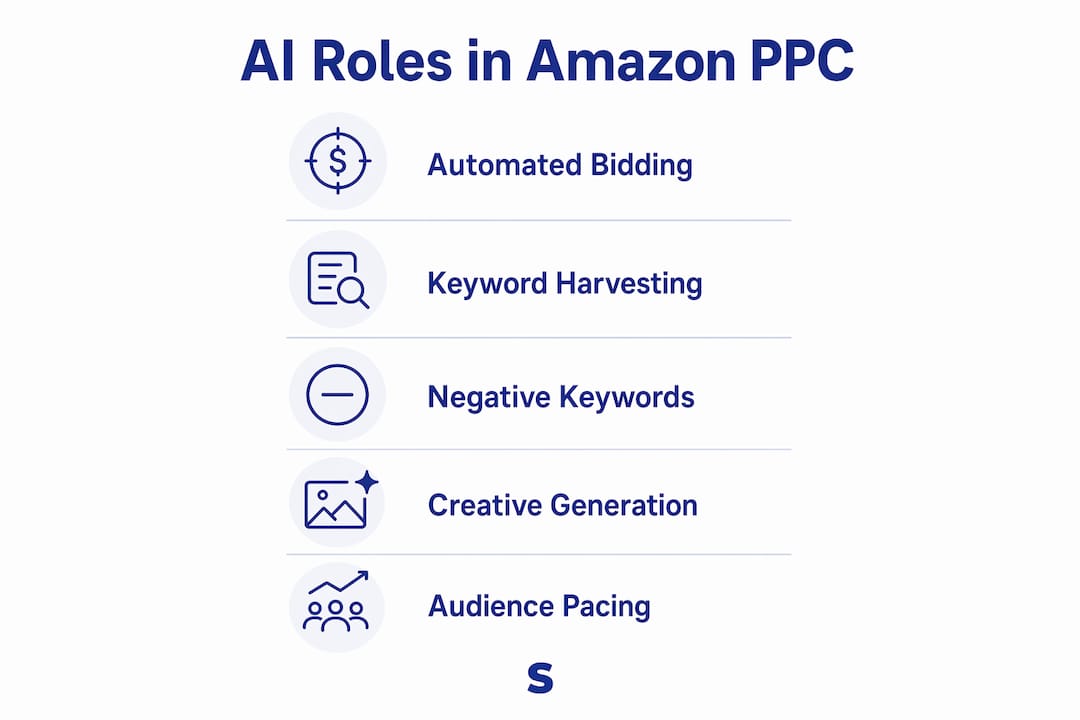
Negative keyword suggestions work the same way in reverse. AI identifies search terms burning budget without converting and surfaces them for negation. The key difference from manual review: AI can spot patterns across hundreds of campaigns simultaneously, catching budget leaks a human reviewer would miss in a single session.
Creative generation is a separate category entirely. Amazon’s Creative Agent inside Creative Studio conducts product and audience research, brainstorms concepts in storyboard format, and produces video and display ads. Advertisers using AI-generated images on Sponsored Brands campaigns generally saw higher ROAS on average compared to campaigns without them. The AI Video Generator turns static product images into 6–15 second video ads at no additional creative cost.
Audience prediction and budget pacing round out the picture. Agentic tools like Amazon’s Ads Agent automate multi-step workflows — audience creation, SQL query generation for AMC, cross-campaign budget reallocation — that previously required either a data analyst or a lot of manual clicks.
How do native Amazon tools compare to third-party platforms?
Three categories of solution exist, and they serve different seller profiles.

| Dimension | Native Amazon AI (Performance Plus, Ads Agent, Creative Agent) | Third-Party AI Platforms (e.g., Selloop) | Agency-Managed AI |
|---|---|---|---|
| Automation scope | Bidding, creative, audience, budget pacing | Bidding, keyword harvesting, negatives, campaign health scoring | Full-service, varies by agency |
| Control & guardrails | Budget caps; limited profit-target inputs | Customizable profiles (conservative, balanced, aggressive); profit targets | Human-set, agency-dependent |
| Integration & workflow | Native console; no third-party setup | API-connected; one-click apply to Amazon | Managed externally |
| Testing & measurement | 30-day window recommended; no built-in pre/post baseline | 21-day rolling test with tracked before/after results | Varies |
| Explainability | Limited; proprietary signals not visible in Seller Central | Data-justified recommendations per change | Depends on reporting |
| Pricing & suitability | Included with Amazon Ads account | SMB-friendly SaaS tiers (Selloop from €29/month) | Enterprise budgets |
Solo sellers with fewer than 20 ASINs and limited time get the most from a third-party platform like Selloop paired with native Amazon bidding automation. The combination gives you AI-driven optimization without needing to interpret raw API data yourself.
SMB sellers running $5,000–$50,000/month in ad spend benefit most from a third-party platform that layers guardrails and explainability on top of Amazon’s native tools. Native AI alone won’t tell you why a bid changed.
Enterprise brands with dedicated PPC teams often run proprietary bid management alongside Amazon’s native features, using the native tools for creative and audience work while keeping bid logic in-house.
What measurable benefits should you expect from AI-driven Amazon PPC?
AI typically improves ACoS efficiency, reduces time spent on manual analysis, and surfaces keywords faster than manual review — but results depend heavily on account maturity and listing quality.
KPIs most likely to move, and in which direction:
- ACoS — tends to improve for mature accounts; Performance Plus data shows roughly 60% of accounts see ACoS improvement within 30 days
- TACoS — the more reliable signal; organic rank interactions take 3–6 weeks to show up, so TACoS is the metric to watch over a full test window
- CVR (conversion rate) — AI bidding prioritizes high-conversion-probability impressions, which tends to lift CVR while reducing wasted impressions
- CPC efficiency — improves when AI correctly identifies low-competition, high-intent terms; can worsen if the model overbids on competitive terms without a profit ceiling
- Spend volatility — the biggest risk with unconstrained AI; daily spend can spike 40%+ above baseline without caps in place
Industry case highlight: A Seattle-based Amazon agency that moved the majority of its managed spend onto Performance Plus reported a portfolio-wide TACoS improvement of 14% over the first six weeks, attributing the gain largely to the model correcting consistent human under-bidding during high-traffic windows like Thursday evenings and weekend mornings.
One honest caveat: AI produces its worst outcomes on new ASINs with thin conversion history. Practitioners consistently recommend holding new products on conservative manual settings until sufficient training data exists. Enabling aggressive AI bidding on a product with 30 days of data is how you burn budget fast.
How do you choose the right AI tool for Amazon PPC?
Prioritize explainability, guardrail controls, and test windows over feature lists. A tool that shows you why it made a recommendation and lets you roll it back is worth more than one with a longer capability checklist.
Evaluation checklist:
- Does the tool let you set a profit target or acceptable ACoS band as a hard constraint?
- Can you export decision logs and search term data?
- Does it support a pilot mode (shadow/approval) before full automation?
- How long does it track the result of a change — and does it show you a before/after comparison?
- Is pricing based on managed spend, flat subscription, or per-account? (Spend-based pricing can get expensive fast.)
- Is there a free trial with real account data, not a demo environment?
For deeper Amazon PPC software comparisons, the vendor questions that separate good tools from great ones are:
- What signals does your model use to adjust bids?
- Can I set a maximum bid or profit floor as a hard guardrail?
- How do you handle new ASINs with thin data?
- What happens if I disagree with a recommendation — can I reject it without breaking the model?
- How do you define a “successful” change, and over what window?
- Do you provide exportable audit logs of every action taken?
- What’s your rollback process if a change causes a spend spike?
- How does your tool interact with Amazon’s native Performance Plus bidding?
- What support is available during the first 30 days?
- Are there case studies from accounts similar in size and category to mine?
Red flags to walk away from: no exportable logs, opaque decisioning with no explanation layer, no rollback capability, and pricing that scales with spend without a cap.
How do you roll out AI optimization in your Amazon account?
Start narrow, define your commercial inputs before touching any settings, and expand only after the 21-day window gives you a clean signal.
- Run a pre-flight listing audit — check that pilot ASINs have at least 90 days of conversion history, a rating above 3.8 stars, no active price tests or coupons, and no listing quality flags
- Collect your commercial inputs — profit per unit, acceptable ACoS band (e.g., 18–25%), inventory cover in weeks, and the campaign role for each ASIN (defend, acquire, or rank push)
- Disable conflicting bid rules — if you have external bid adjustment rules running in any third-party tool, disable them at the campaign level before enabling AI optimization to avoid compounding effects
- Set daily spend caps at 10–15% tighter than your current 30-day weekly average — this creates a ceiling while the model learns your account
- Enable AI on pilot campaigns only — 2–3 mature ASINs maximum; leave the rest on manual settings as a control group
- Pull search term reports daily for the first two weeks — watch for irrelevant match types absorbing budget at inflated CPCs
- Do not make listing changes during the test window — price changes, coupon activations, or review campaigns will confuse the conversion model and invalidate your results
Minimal commercial inputs to collect before starting:
| Input | Why it matters |
|---|---|
| Profit per unit (after COGS, FBA fees) | Sets the break-even ACoS the AI should never exceed |
| Acceptable ACoS band | Defines the optimization target range |
| Inventory cover (weeks on hand) | Prevents AI from scaling spend on a product about to go out of stock |
| Campaign role | Tells the AI whether to prioritize efficiency (defend) or volume (acquire/rank) |
Aligning campaign role and listing readiness before scaling AI-driven spend is the single most consistent predictor of positive outcomes across accounts.
What won’t AI reliably do, and why do guardrails still matter?
AI is not a substitute for commercial context. The four most common failure modes are worth knowing before you flip any automation switch.
Black-box bidding is the most frustrating. Amazon’s Performance Plus uses proprietary retail graph signals that are not visible in Seller Central, which means when something goes wrong, you often can’t diagnose why. Search term reports still lag by 48 hours, which is a meaningful blind spot when a system is bidding freely.
Thin-data overbidding happens when AI is enabled on new ASINs before enough conversion signal exists. The model fills the gap with aggressive bids, burns budget, and produces no useful training data for the next cycle.
Creative mismatch occurs when AI-generated creative doesn’t reflect current inventory, pricing, or brand positioning. Creative Agent is powerful, but it needs human review before any ad goes live.
Inventory blindness is underappreciated. AI bidding systems don’t know you have three weeks of stock left. Without an inventory input, the model will happily scale spend on a product that’s about to go out of stock, wasting budget and potentially tanking organic rank when the listing goes inactive.
Practical guardrails to set before enabling any AI:
- Hard ACoS ceiling tied to your break-even margin
- Daily spend cap at 110–120% of your prior 30-day daily average
- Exclude all ASINs with fewer than 90 days of conversion history
- Set monitoring alerts for spend velocity spikes above 40% of baseline
- Pause rule: if ACoS exceeds your ceiling by more than 5 percentage points for three consecutive days, pause and review
Pro Tip: Track TACoS and review velocity together when deciding whether to expand a pilot. A TACoS improvement alongside rising review velocity means the AI is driving real purchase momentum, not just paid conversions that disappear when the ad stops. That combination is the clearest signal to scale.
How do you measure whether AI actually improved your campaigns?
Use a 21-day rolling test with pre/post baselines, and assess TACoS as the primary metric — not ACoS alone.
ACoS only measures paid efficiency. TACoS (Total Advertising Cost of Sale = total ad spend ÷ total revenue) captures the organic halo effect, which is where AI bidding often creates its real value. A campaign that improves ACoS by 3% while lifting organic rank enough to grow total revenue by 12% is a win that ACoS alone would understate.
KPI reference table:
| KPI | Formula | What to watch for |
|---|---|---|
| ACoS | Ad spend ÷ ad revenue | Should trend toward your target band; spikes signal overbidding |
| TACoS | Ad spend ÷ total revenue | Improvement here means organic rank is responding |
| CVR | Orders ÷ clicks | Rising CVR with stable spend = AI is finding better-intent traffic |
| CPC | Ad spend ÷ clicks | Rising CPC without CVR improvement = overbidding on low-quality terms |
| Spend velocity | Daily spend vs. 30-day average | Flag anything above 40% above baseline as a guardrail trigger |
21-day test checklist:
- Establish a 21-day baseline period before enabling AI (same campaigns, same structure)
- Mirror campaign structure between pilot and control ASINs
- Flag the start date in your reporting tool so pre/post periods are clean
- Do not change bids, budgets, or listings during the test window
- At day 21, compare ACoS, TACoS, CVR, and spend velocity between pilot and control
Interpreting results: An ACoS change of 1–2 percentage points in either direction over 21 days is likely noise, especially in competitive categories. A 4+ point improvement in ACoS combined with a TACoS improvement is a meaningful signal. If ACoS improved but TACoS worsened, the AI may be winning paid clicks at the expense of organic rank — a pattern worth investigating before scaling.
Why Selloop is built for exactly this workflow
Selloop offers the AI-plus-guardrails operating model that smaller and mid-size sellers actually need — without requiring a PPC specialist to interpret the output.
Core features:
- Campaign health scoring — surfaces which campaigns are underperforming and why, with data-backed justification for each flag
- Automated keyword harvesting — identifies converting search terms from auto campaigns and recommends them for manual exact targeting
- Negative keyword suggestions — flags wasted spend terms across all campaigns simultaneously
- One-click apply — Selloop sends approved changes directly to Amazon via API; no manual implementation required
- Customizable optimization profiles — choose conservative, balanced, or aggressive AI behavior depending on your margin tolerance and growth goals
- Smart alerts — notifies you when spend velocity, ACoS, or keyword performance crosses thresholds you define
The 21-day tracking methodology is what separates Selloop from tools that fire recommendations without accountability. Every change Selloop recommends gets tracked over a 21-day window, and the platform shows you the before/after result so you know whether the change actually worked. No spreadsheets, no manual attribution.
Selloop was built by Luis Luengo, an Amazon seller with 10+ years of experience across European marketplaces including Spain, the UK, France, Italy, and Germany. That background shapes the product’s design philosophy: recommendations need to be explainable, changes need to be reversible, and results need to be tracked long enough to be meaningful.
For sellers comparing AI-driven Amazon advertising tools, Selloop’s pricing starts at €29/month with a 7-day free trial — a fraction of what enterprise platforms charge for comparable optimization depth.
What should U.S. sellers do right now?
The recommended path for U.S. sellers in 2026 involves a three-step sequence with clear timing.
Week 1–7: Pilot on 2–3 mature ASINs. Set your commercial inputs (profit per unit, ACoS band, inventory cover), disable conflicting bid rules, cap daily spend at 110% of your 30-day average, and enable AI optimization on pilot campaigns only. Pull search term reports daily.
Week 8–21: Run the full 21-day test window without making listing changes. Track ACoS, TACoS, CVR, and spend velocity daily. Compare against your control group.
Day 30+: If TACoS improved and spend velocity stayed within guardrails, expand to the next tier of ASINs — products with similar maturity profiles. If results are mixed, review which guardrails were triggered and adjust the optimization profile before expanding.
The signal to scale portfolio-wide is a TACoS improvement that holds for at least two consecutive 21-day windows, not a single good month. One clean period could be seasonality. Two consecutive periods is a pattern.
Key Takeaways
AI automation with human-defined guardrails is the most reliable approach to Amazon PPC optimization — pilot on mature ASINs, define profit constraints first, and validate with a 21-day test window before scaling.
| Point | Details |
|---|---|
| Pilot on mature ASINs first | AI bidding needs at least 90 days of conversion history per ASIN to avoid destructive overbidding. |
| TACoS beats ACoS as the primary metric | TACoS captures organic rank effects that ACoS misses; use both over a 21-day window. |
| Guardrails are non-negotiable | Set a hard ACoS ceiling, daily spend caps, and inventory inputs before enabling any AI automation. |
| Explainability determines tool value | Choose tools that show why a recommendation was made and track results after changes are applied. |
| Selloop tracks every change for 21 days | Selloop applies approved changes via API and shows before/after results without requiring spreadsheets. |
The part most sellers get wrong about AI and Amazon PPC
The conventional wisdom says AI is a time-saver. That’s true, but it’s the wrong frame for evaluating whether to use it. The real question is whether the AI has enough commercial context to make decisions you’d actually agree with.
Amazon’s Performance Plus is genuinely impressive at finding conversion-weighted bid opportunities. It has more data than any individual seller. But it doesn’t know your margin, your inventory position, or whether you’re trying to defend a top-3 ranking versus acquire new customers in a new subcategory. Those are strategic inputs, and no AI infers them from click data alone.
The sellers who get the most from AI automation are the ones who treat it like a capable analyst who needs a clear brief. You define the constraints, the campaign role, and the success metric. The AI executes at a speed and scale no human can match. That division of labor is what actually works — not handing over the account and checking back in a month.
The 21-day tracking window isn’t just a measurement convention. It’s a discipline. It forces you to define what success looks like before you make a change, which is the habit most PPC managers skip when they’re moving fast.
Selloop’s 7-day free trial gets you started in under an hour
Wasted ad spend is the most common problem Selloop fixes — campaigns running on broad match terms that never convert, bids that haven’t been touched in months, and keyword opportunities buried in auto campaign data that nobody has time to review. Selloop’s AI surfaces all of it, explains why each item matters, and lets you approve changes with one click.
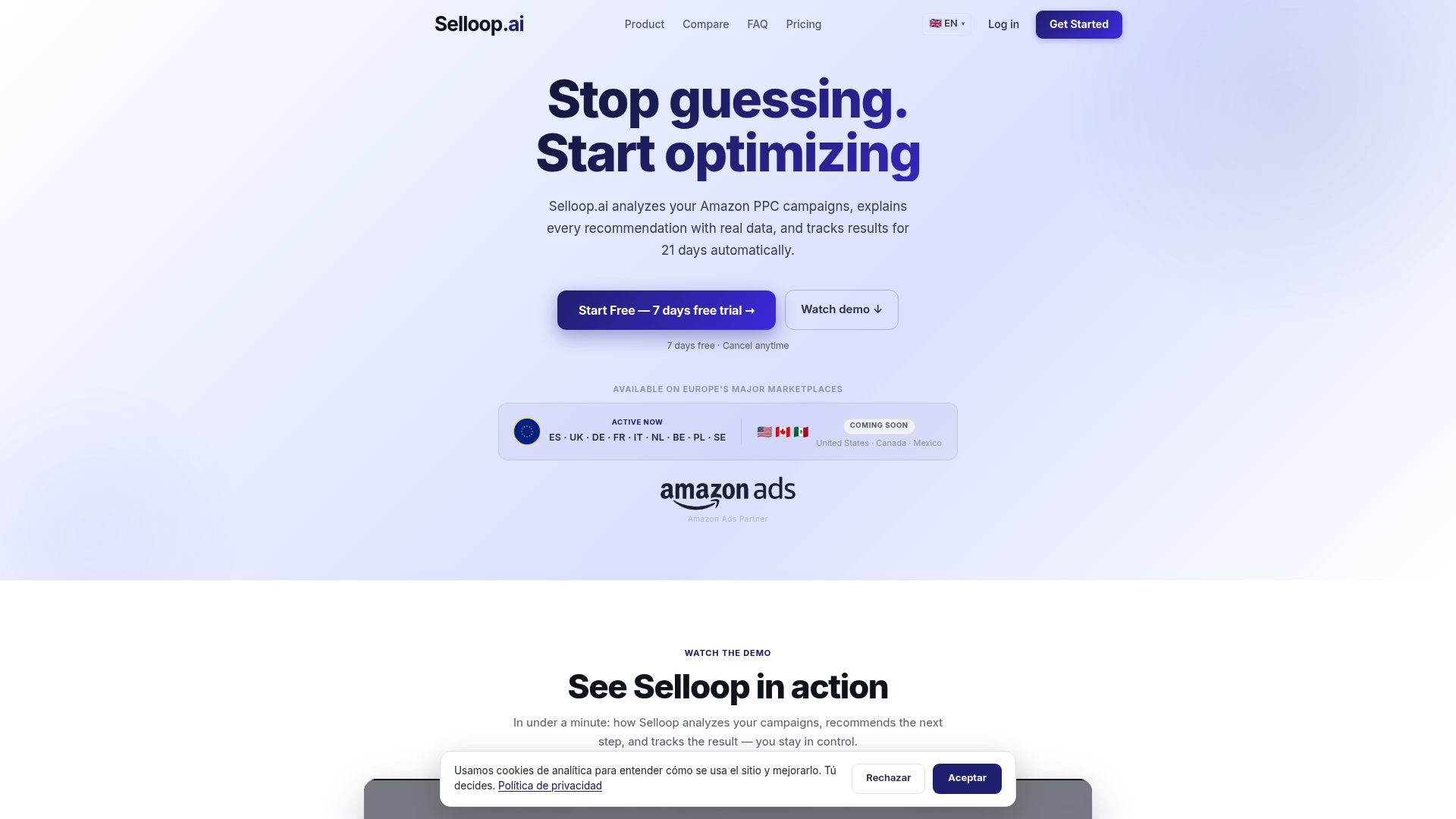
Onboarding takes four steps:
- Connect your Amazon Ads account to Selloop
- Pick 2–3 pilot ASINs with solid conversion history
- Set your guardrails: acceptable ACoS band, profit per unit, spend caps
- Approve your first batch of recommendations — Selloop applies them to Amazon and starts the 21-day tracking clock
Plans start at €29/month. The 7-day free trial gives you full access to campaign health scoring, keyword harvesting, and the recommendation engine on real account data. Start your free trial at selloop.ai and see what your campaigns look like with a 21-day results window behind every change.
Useful sources to read next
These are the primary references worth bookmarking for implementation and product-specific settings:
- Amazon Ads Creative Agent overview — official documentation for Creative Agent, Image Generator, Video Generator, and Audio Generator; covers format specs and availability (currently in open beta for U.S. advertisers)
- Amazon Ads Agent product page — describes the agentic AI companion for multi-step ad workflow automation, including AMC and DSP integration requirements
- AI Video Generator guide — step-by-step setup for turning product images into Sponsored Brands video ads at no additional cost
- Ecommerce Times: Performance Plus bidding analysis — the most detailed independent reporting on Performance Plus outcomes across 300+ managed accounts, including ACoS variance data and agency response strategies
- Eva: Amazon AI Bidding Strategies for 2026 — practitioner guidance on guardrails, campaign role alignment, and pre-flight checklists before enabling autonomous bidding