If your ad was rejected or your account got flagged, Amazon judged the creative, destination, or claim to conflict with its customer-focused ad policies and either blocked delivery or opened an enforcement review. Most single rejections are fixable within days once you find the exact reason. Repeated or severe violations escalate further, sometimes to account holds, so treat every notice as a signal worth acting on immediately rather than resubmitting blind.
TL;DR:
- Most ad rejections are easily fixable within days by identifying the specific policy reason and ensuring claims match the product detail page.
- Repeated violations or severe infractions can lead to account holds, asset removal, or delivery blocks, especially after warnings or pattern detection.
- Technical issues such as mismatched destination links, unauthorized tags, or non-compliant listing eligibility often trigger automatic rejections without policy violations.
- Building a process to attach evidence to claims, run pre-launch checklists, and track outcomes helps prevent repeated violations and accelerates resolution.
- Using monitoring tools like Selloop can help verify if fixes improve ad performance, but compliance ultimately depends on operational practices and adherence to Amazon’s policies.
Table of Contents
- What counts as an Amazon ad policy violation
- Common violations and where they actually come from
- How Amazon enforces violations and what actually happens next
- The remediation workflow: from rejection notice to resubmission
- Moderation timelines and the technical checks that quietly block ads
- Building a prevention system instead of chasing rejections
- Why policy compliance is a process problem, not a copy problem
- How Selloop helps you validate fixes after resubmission
- Sources
- FAQ
What counts as an Amazon ad policy violation
Amazon evaluates ads against one core standard: is this suitable for the placement and the audience seeing it? That framing matters more than memorizing a rulebook, because Amazon’s quick-reference policy notes that an otherwise legal product can still get rejected over how it’s presented or what it claims, not just what it is.
Some categories are flatly prohibited: weapons, certain hangover cures, and other specific product bans. Alcohol ad rules vary by locale and are prohibited in some markets while permitted with restrictions in others.
Other categories are restricted rather than banned, meaning they need extra review before they run:
- Health and pharmaceutical products, which face added scrutiny on claims
- Weight-loss and supplement ads, where performance language is closely checked
- Any regulated product category where the detail page must support what the ad says
The common thread across all of it: your claim has to line up with what’s actually on the product detail page. A mismatch, even an accidental one, is enough to trigger a rejection.
Common violations and where they actually come from
Most rejections trace back to a small set of recurring mistakes. Here’s what shows up most often in moderation queues:
- Misleading health or performance claims. Phrases like “clinically proven to eliminate pain” or “guaranteed weight loss” get flagged when the product page doesn’t substantiate them, per Amazon’s substantiation and comparative claims policy.
- Unsupported comparative claims. Saying your product is “better than” a named competitor requires an independent, dated source; without one, Store and display ads get rejected on sight.
- Fake functionality and pressure tactics. Fake close buttons, countdown timers with no real deadline, or buttons that don’t do what they show are treated as deceptive, not just careless design.
- Deceptive imagery. Before-and-after visuals or dramatized results that overstate what the product delivers.
- Technical and tag violations. Unauthorized third-party tracking tags, pop-ups, or destination URLs that don’t match the ad’s claim, all covered under Amazon’s technical guidelines.
Any one of these can stop an ad before it ever reaches a shopper.
How Amazon enforces violations and what actually happens next
Enforcement isn’t one-size-fits-all. A single disallowed claim usually gets a rejection notice and nothing more. A pattern of violations, or a more serious one, moves up the ladder.
- Rejection stops a specific ad from running; you fix it and resubmit.
- Removal takes down an asset that already went live, sometimes with retroactive impact on the campaign’s delivery.
- Account-level suspension affects your ability to advertise at all, not just one campaign.
Consequences scale with severity. You might see delivery blocked on the flagged ad only, or you might see broader outcomes: asset removal across a campaign, payment holds, or Partner Network access revoked for agencies and freelancers managing client accounts. Certain signals escalate faster than others. Malvertising, deceptive destination pages, and repeated violations after warnings all move a case from “fix and resubmit” to a formal review that can involve account holds while Amazon investigates.
The remediation workflow: from rejection notice to resubmission
Speed matters here, but so does getting the root cause right the first time. A rushed resubmission that misses the actual issue just resets the clock.
- Find the exact disapproval reason. Check the asset library status field in Campaign Manager or the notification email; the reason code tells you precisely what triggered the review.
- Pause the campaign and pull the asset offline. This stops further impressions on a non-compliant ad while you work the fix, which limits exposure if the issue is serious.
- Reconcile every claim against the product detail page. Price, discount percentage, performance language, and the call-to-action all need to match what’s actually listed.
- Collect evidence. For comparative or performance claims, gather dated, independent sources, not just internal test data, per Amazon’s moderation guide for Sponsored Brands and Display.
- Resubmit, or escalate to support. For most rejections, fixing the creative and resubmitting is enough. For account-level flags or repeated rejections, contact Amazon support directly, and for regulated categories, some products require prior approval before you can advertise at all.
Pro Tip: Submit major campaign launches at least a week ahead of your target date. That buffer absorbs a rejection-and-fix cycle without pushing your launch date.
Permission to sell a product on Amazon is not the same as permission to advertise it. Some items are listable but restricted or disallowed for ads entirely, which is worth checking before you build a campaign around them.
Moderation timelines and the technical checks that quietly block ads
A lot of “rejections” are actually technical failures that never touch the policy question at all. The asset library status field tracks where your ad sits in review, and pre-moderation options exist specifically so you can catch problems before a launch window closes.
- Timelines: Standard review windows vary, but Amazon recommends submitting at least one week before an important launch to leave room for one round of fixes.
- CTAs and clickable elements: Every button or link needs to behave exactly as it appears; a CTA that doesn’t route to the stated destination is a common fail.
- Tag and tracking rules: Unauthorized third-party tags or pop-ups are grounds for rejection under the technical guidelines, independent of whether the product itself is compliant.
- Listing eligibility: For Sponsored Products, Brand Registry status and Featured Offer eligibility directly affect whether an otherwise approved ad can actually deliver.
Fixing the creative doesn’t help if the underlying listing isn’t eligible to run ads in the first place.
Building a prevention system instead of chasing rejections
The advertisers who stop seeing repeat violations usually aren’t smarter about the rules, they just built a process around them.
- Keep a claim-evidence file tied to each product and creative version, so every performance or comparative claim has a dated source attached before it ever goes live.
- Run a launch checklist before every submission: claim reconciliation against the detail page, a destination link test, tracking consent verification, and tag confirmation against Amazon’s tracking guidance.
- Maintain audit logs and restricted access for any agency or partner accounts touching your ads, since Partner Network audits can request that history on short notice.
- Track outcomes after resubmission, not just approval status, over a defined window (21 days is a reasonable baseline) to confirm the fix actually held and didn’t just clear moderation once.
Pro Tip: A five-minute pre-check against your own claim-evidence file catches most rejections before submission, which is far cheaper than a resubmission cycle.
Why policy compliance is a process problem, not a copy problem
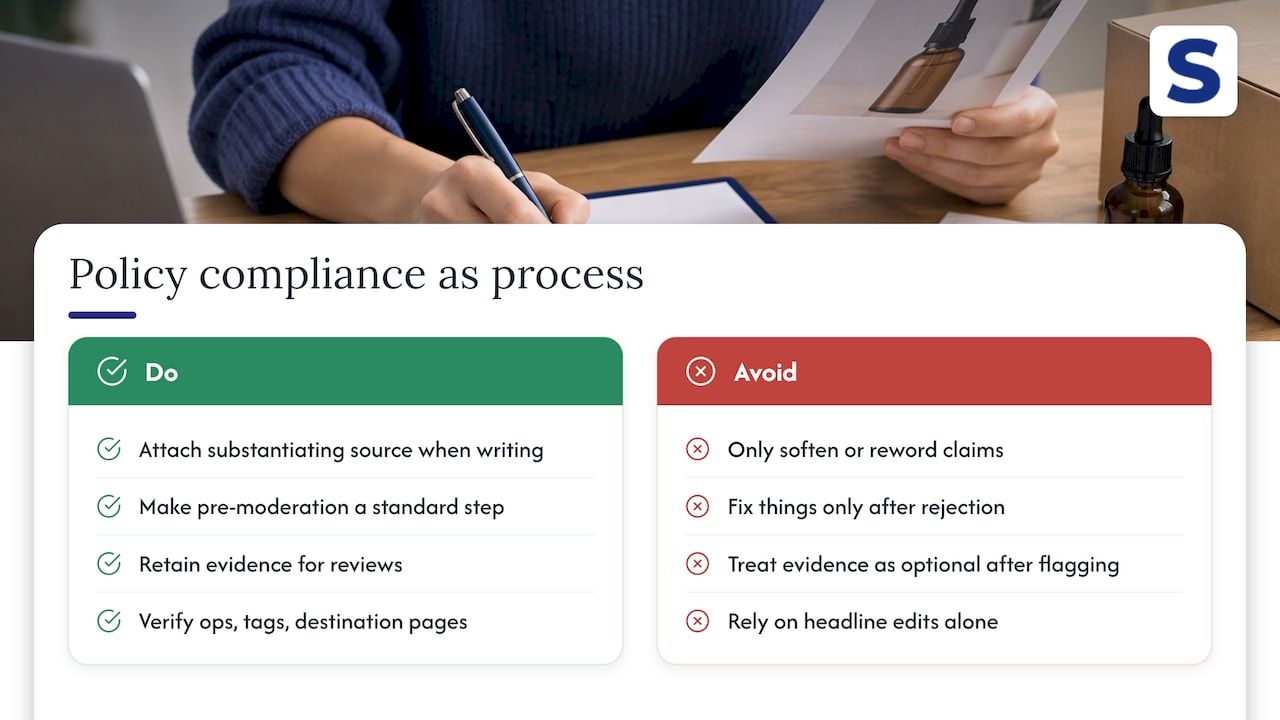
Most teams treat ad policy as a writing exercise: soften a claim, swap a word, resubmit. That misses what’s actually happening. Amazon is checking whether your operations, your evidence, your tags, your destination pages, hold up under review, not just your headline.
One small fix that pays off repeatedly: attach the substantiating source to the claim at the moment you write it, not after a rejection forces you to go find one. Treat pre-moderation and evidence retention as standard steps, not extras you add after your first flag.
— Selloop
How Selloop helps you validate fixes after resubmission
Fixing a rejected ad is one step. Knowing whether the fix actually improved performance, rather than just cleared moderation, is another. Selloop monitors campaign changes and flags creative or spend patterns that look risky, then tracks the results of any adjustment over a 21-day window so you’re not guessing whether a remediation worked.
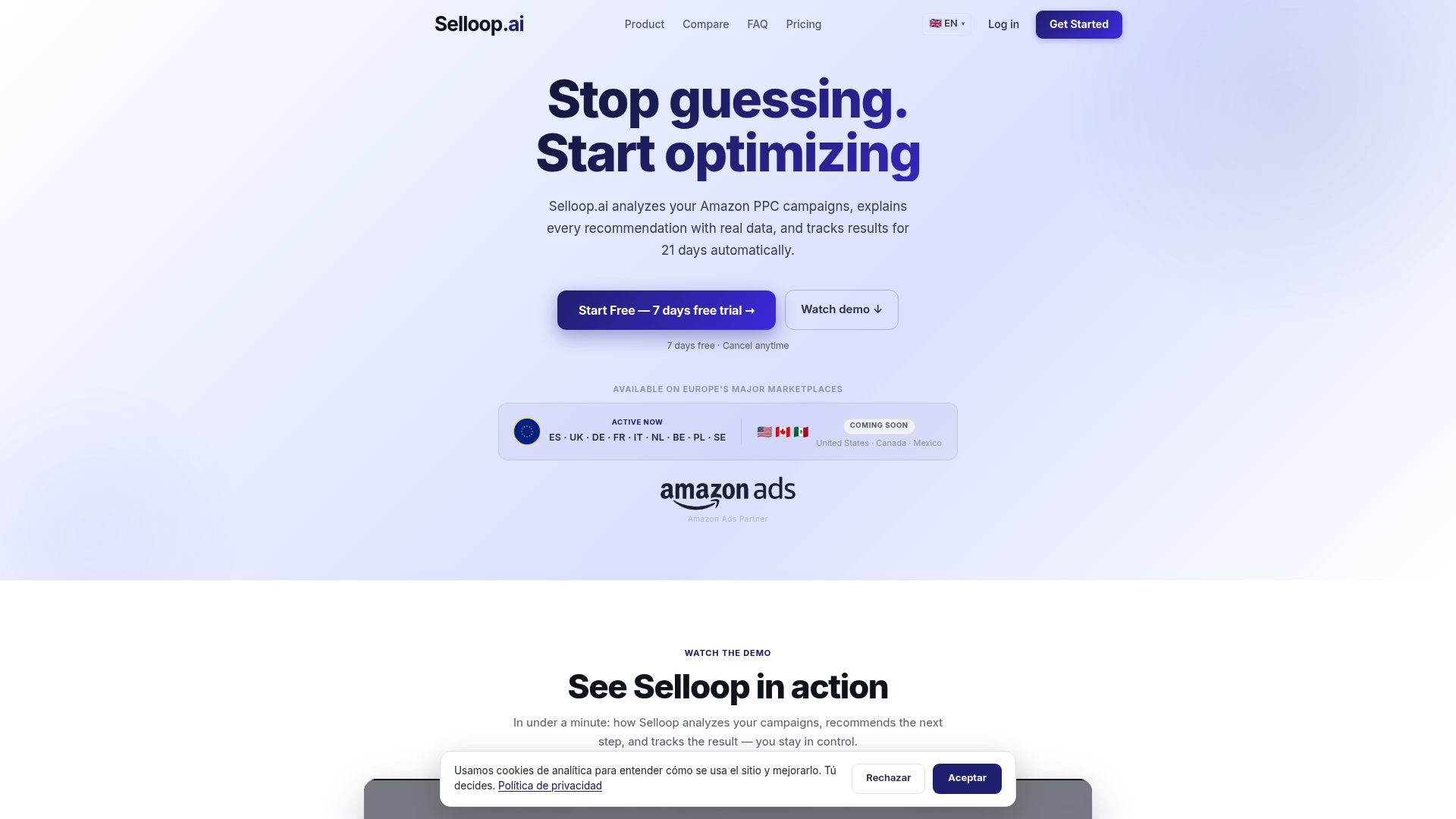
That kind of tracking complements the remediation checklist directly: once you’ve resubmitted a fixed ad, Selloop’s monitoring shows you whether it’s actually converting or quietly bleeding spend again. Plans start at a basic monthly fee, with higher tiers available for larger ad accounts. Check the Selloop pricing page to find the tier that matches your ad spend.
Sources
- Ad policies quick reference | Amazon Ads
- Policy: substantiation and comparative claims | Amazon Ads
- Technical Guidelines - Ad Specs & Requirements | Amazon Ads
- A complete guide to Sponsored Brands and display ads moderation | Amazon Ads
- Partner network policies | Amazon Ads
FAQ
What are Amazon policy violations?
An Amazon policy violation happens when an ad’s claim, creative, destination, or technical setup conflicts with Amazon’s advertising rules, most often around truthfulness, prohibited or restricted categories, or technical specs. The quick-reference policy frames this around customer experience rather than a strict word-ban list.
What does an Amazon policy violation warning mean?
A violation warning means Amazon’s review, automated or manual, found something in your ad that doesn’t meet its standards, and it typically comes with a specific reason code in Campaign Manager or by email. It doesn’t always mean your account is at risk; most warnings apply to a single ad and get resolved once you fix and resubmit it.
How long does a violation usually stay on your Amazon account?
There’s no single published duration since it depends on severity and whether the issue repeats. A one-off ad rejection is typically resolved once you correct and resubmit the creative, while account-level flags tied to repeated or severe violations, such as malvertising, can involve a longer review and remediation process described in Amazon’s Partner Network policies.
How do I appeal an Amazon policy violation?
Start by finding the exact disapproval reason in the asset library or notification email, then fix the root cause, whether that’s a claim, a destination link, or a tag issue, and resubmit through Campaign Manager. For account-level suspensions or unresolved disputes, contact Amazon support directly, since some categories also require prior approval before an ad can run again.
Can using an optimization tool like Selloop help avoid ad policy violations?
A monitoring tool can’t approve or reject ads on Amazon’s behalf, but it can flag risky spend patterns and track whether a remediation actually improved results. Selloop’s 21-day change tracking is built for that second part: confirming a fix held, not replacing Amazon’s own review process.