How to Manage Multiple Amazon Ad Campaigns in 2026
Managing multiple Amazon ad campaigns efficiently comes down to three things: a clear campaign structure, bulk operation mastery, and automation that actually tracks results. The sellers and agencies winning in 2026 run a three-tier campaign architecture that separates Discovery, Ranking, and Defense functions into distinct campaign types, each with its own budget logic and optimization cadence.
Here is the core framework at a glance:
- Discovery (Auto + Broad Match): Catches new keyword signals; allocate 20–25% of total ad spend
- Ranking (Exact Match Sponsored Products + Sponsored Brands): Core revenue driver with proven, high-converting keywords; allocate 50–60% of total ad spend
- Defense (Brand Terms + Sponsored Display retargeting): Protects product pages from competitor conquesting; allocate 15–20% of total ad spend
- Amazon Portfolios: Group campaigns by brand, category, or season with consolidated budgets to prevent overspending
- Bulk Operations: Edit campaigns, ad groups, keywords, and negative keywords simultaneously to cut hours of manual work
- Weekly cadence: Pull Search Term Reports Monday, harvest converters Tuesday, layer negatives Wednesday, adjust bids Thursday, audit pacing Friday
How to manage multiple Amazon ad campaigns with ad groups
Ad groups sit one level below campaigns in Amazon’s hierarchy, and most sellers underuse them. Each campaign can contain multiple ad groups, and each ad group targets a distinct set of keywords or products. That separation is what gives you clean data.
Practical ways to split ad groups:
- By match type: One ad group for Broad, one for Phrase, one for Exact within the same campaign
- By product category: Separate ad groups for each subcategory so performance data does not blur across unrelated products
- By funnel intent: Generic category terms in one group, problem-aware terms (“best non-stick pan for induction”) in another
The payoff is optimization efficiency. When a single ad group mixes match types, a bid change affects everything. Split them out, and you can raise bids on Exact Match without inflating costs on Broad.
How to structure campaigns for performance and scale
Structure is the foundation that makes everything else work. Without it, even good bids and strong keywords get wasted.
- Build the three-tier architecture first. Discovery campaigns (Auto and Broad) feed keyword intelligence. Ranking campaigns (Exact Match) convert proven terms. Defense campaigns protect your brand and retarget product page visitors.
- Use Amazon Portfolios to group campaigns. Portfolios let you set a consolidated budget cap across a group of campaigns, so a single product line or seasonal push cannot overspend while other priorities starve.
- Separate funnels by ASIN maturity. A new product launch needs aggressive Discovery spend. A mature ASIN with stable organic rank needs more Defense and less Discovery.
- Measure TACoS, not just ACoS. TACoS divides total ad spend by total revenue (organic plus paid). It is the only metric that tells you whether your ads are building the business or just harvesting existing demand.
Pro Tip: Cross-negate between your auto and manual campaigns. Add every term you graduate to a manual Exact Match campaign as a negative exact match in the auto campaign. Without this step, both campaigns bid on the same query and drive your own CPC up.
Agencies typically see clients running multiple active campaigns per ASIN at full maturity, with Tier 2 Exact Match campaigns broken out by both match type and funnel intent.

Bulk management tools and workflows that save real time
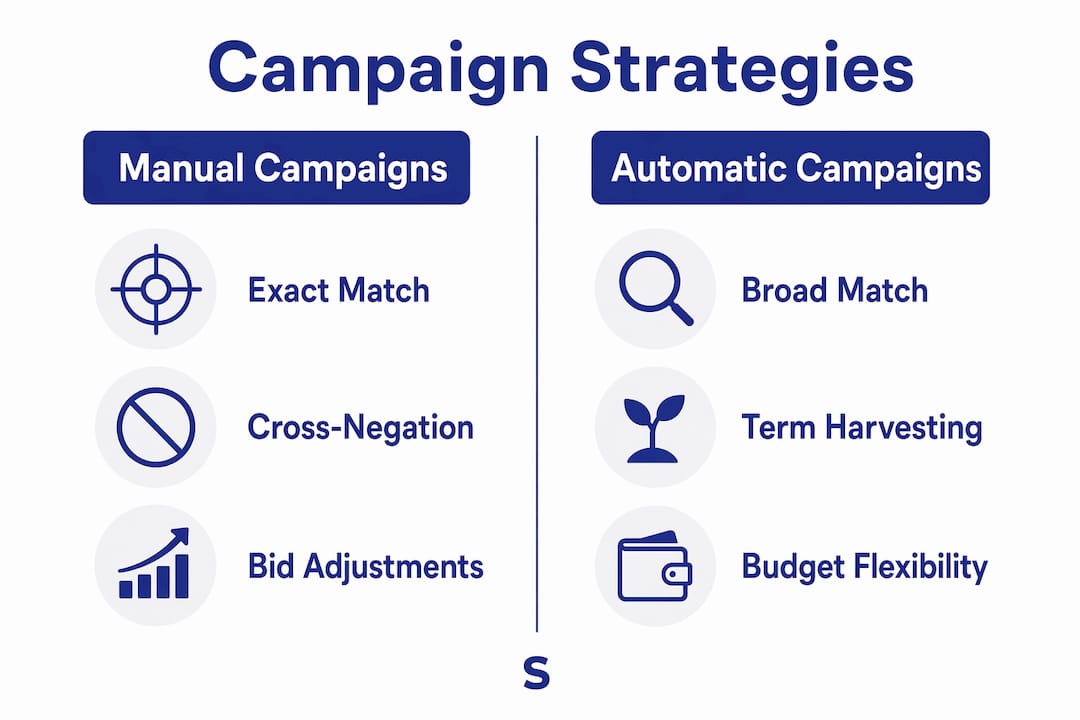
Amazon Bulk Operations let you edit campaigns, ad groups, keywords, product targets, and negative keywords simultaneously. That single capability changes what is possible at scale.
Three workflows every seller or agency should run:
- Weekly optimization pass: Download a keyword report for the last 30 days. Filter for terms spending above your target cost-per-order with zero conversions. Bulk-pause them. Then filter for near-profitable terms (ACoS within 10% of target) and apply a percentage bid adjustment. Finish by pulling the Search Term Report and bulk-adding wasteful queries as negatives.
- Seasonal scaling: Duplicate top-performing campaigns with a “Seasonal” naming convention. Increase budgets and raise bids on high-converting keywords. After the event, bulk-reduce bids to pre-event levels and transfer winning keywords to evergreen campaigns.
- Account restructuring: Export all keywords from existing campaigns, build the new structure in a spreadsheet, and bulk-upload. Run old and new structures in parallel for two weeks before pausing the old one.
| Bulk method | Best for | Limitation |
|---|---|---|
| Campaign Manager multi-select | Quick pauses, budget edits, status changes | Limited to a certain number of visible items per page |
| Bulk file upload (spreadsheet) | Large-scale edits, new entity creation, negatives | Requires spreadsheet discipline; no formula-based adjustments natively |
| Amazon Advertising API | Unlimited scale, automated scheduling, custom algorithms | Requires technical setup or third-party tooling |
For agency workflow for Amazon ads, the bulk file upload method is the practical middle ground. It handles virtually every campaign entity and does not require API access.

Best practices for managing large numbers of campaigns and accounts
Scale exposes every gap in your process. The sellers who stay efficient at 50+ ASINs or 10+ client accounts do a few things differently.
- Run a five-day weekly rhythm. Monday: pull Search Term Reports. Tuesday: harvest converters into manual Exact Match campaigns. Wednesday: add negatives. Thursday: adjust bids by placement data. Friday: audit budget pacing and reallocate from saturated to underspent campaigns.
- Cross-negate systematically. Auto and manual campaigns bidding on the same query inflate your own CPC. Add negative exact matches in the auto campaign for every term you graduate to manual.
- Set bid rules by margin, not just ACoS. A 35% ACoS on a product with 65% gross margin is profitable. A 20% ACoS on an 18% margin product is not. Know your numbers before setting targets.
- Monitor pacing mid-week. Budgets that exhaust by noon create a mid-day impression flatline. Check the “out of budget” flag in the Sponsored Products console and redistribute before it compounds.
- Build negative keyword libraries at the account level. Terms like “free,” “DIY,” and “how to make” waste budget across every campaign. Apply them globally so new campaigns inherit the list automatically.
For agencies managing multiple accounts, the manual version breaks down fast. A document cannot enforce thresholds consistently, cannot route exceptions for approval, and cannot maintain a decision history across accounts.
How Selloop helps you run smarter campaigns at scale
Selloop is built for exactly the point where manual management stops working. It analyzes your Sponsored Products and Sponsored Brands campaigns, identifies where budget is being wasted, and delivers data-backed recommendations with a clear justification for each one.
- AI-driven insights: Selloop flags high-spend, low-return campaigns and tells you specifically which bids to adjust and which search terms to negate, with the data behind each call
- Automated keyword harvesting and negative keyword suggestions: The platform surfaces graduation candidates and wasteful terms without requiring you to dig through Search Term Reports manually
- 21-day performance tracking: Every change you approve gets tracked over a 21-day window so you can see whether it actually worked, without building a spreadsheet to do it
- Campaign health scoring: A single score per campaign tells you where to focus attention first across a large account
- Customizable optimization profiles: Conservative, balanced, or aggressive modes let you set how far the AI pushes recommendations before requiring your approval
The approval gate matters. Human-in-the-loop AI where the system executes rules but a human handles high-level decisions like budget reallocation and margin floors is what makes automation sustainable. Selloop is built around that model: it does the analysis and queues the recommendation; you approve with one click and it applies the change on Amazon.
Pro Tip: Use Selloop’s campaign health score as your Monday morning triage. Sort by score, fix the lowest-scoring campaigns first, and you will never waste time reviewing accounts that are already running well. Pair it with Selloop’s AI optimization profiles to match aggressiveness to each product’s lifecycle stage.
For sellers who want a deeper look at how AI fits into a broader Amazon ad optimization strategy, the 2026 seller’s guide covers full-funnel approaches and TACoS-based decision making.
When to schedule and time your campaigns for maximum impact
Timing affects efficiency more than most sellers realize. Amazon’s traffic-to-conversion ratio shifts significantly by hour, and campaigns running at full bids during low-converting windows waste budget that could fund peak-hour impressions.
The practical approach: pull 90 days of hourly conversion rate data from Amazon Ads reports, identify hours where conversion rate runs 30% or more above your account average, and apply bid modifiers accordingly. Peak hours for most consumer product categories occur in the evening hours Eastern time. Dead hours, typically midnight to 6 AM, warrant bid reductions of 25–50%. Start with bid modifiers only (the conservative approach) for 60 days before considering pausing campaigns entirely during dead windows.
Seasonal timing follows a similar logic. Begin increasing bids and budgets 4–6 weeks before peak events like Prime Day or Q4, using the seasonal campaign duplication workflow covered in the bulk management section. After the event, bulk-reduce bids and transfer winning keywords to evergreen campaigns before pausing the seasonal ones.
How to handle cross-account campaign management
Managing campaigns across multiple accounts or marketplaces requires a layer of process that single-account sellers rarely need. The core challenge is consistency: the same optimization rules need to apply across every account without drift between operators.
The Amazon Global Ads Console lets you link, switch, and monitor multiple accounts from a single dashboard, which handles the access problem. The harder problem is operational. When one operator manages Account A and another manages Account B, thresholds drift, naming conventions diverge, and negative keyword lists fall out of sync.
The fix is explicit, written decision rules. Define your bid adjustment thresholds, your negation criteria, and your budget pacing checks in a shared document, then convert each into an if/then rule that produces the same output regardless of who runs it. For agencies at scale, dedicated tooling that enforces those rules across accounts and maintains a decision log is what separates consistent performance from account-by-account guesswork. Selloop’s multi-account structure is built for this: one dashboard, consistent AI recommendations, and a 21-day result window that makes cross-account performance visible without manual reporting.
Key Takeaways
Managing multiple Amazon ad campaigns at scale requires a three-tier campaign architecture, systematic bulk operations, and AI-assisted workflows with human approval gates to maintain efficiency and control.
| Point | Details |
|---|---|
| Three-tier architecture | Allocate 20–25% to Discovery, 50–60% to Ranking, and 15–20% to Defense campaigns. |
| Amazon Portfolios | Group campaigns by brand or season with consolidated budgets to prevent overspending. |
| Bulk Operations | Edit campaigns, ad groups, keywords, and negatives simultaneously to replace hours of manual work. |
| Weekly five-day cadence | Run Search Term Reports Monday through budget pacing Friday to prevent compounding waste. |
| AI with approval gates | Use tools like Selloop to surface recommendations and track 21-day results without losing human oversight. |