How to Reduce Amazon Ad Spend Without Losing Sales
Targeted audits and negative keywords can reduce ad spend by 15–25% within 30 days while keeping sales stable. The fastest path to cutting Amazon advertising costs is not pausing campaigns or slashing budgets across the board. It is eliminating the clicks that were never going to convert in the first place.
Here is what that looks like in practice:
- Pull your Search Term Report weekly. Filter for keywords with more than $10–$15 in spend and zero sales. Those are your first negatives.
- Add irrelevant queries as negative exact or negative phrase keywords to block them from eating budget going forward.
- Separate branded and non-branded campaigns so you can see exactly where profitable spend is coming from versus where it is leaking.
- Bid down, do not pause. Cutting a keyword’s bid by 20–30% preserves your ranking while reducing cost per click.
- Fix the listing before you fix the bid. If your conversion rate is under 10%, no bid adjustment will save your ACoS.
- Implement dayparting to reduce or pause bids during hours when your category historically converts poorly.
Sellers who follow this sequence consistently see ACoS reductions of 15–25% within four weeks. The key is working the data every week, not once a quarter.
Table of Contents
- What is non-converting spend and why does it hurt your margins?
- How to identify wasted spend in your Amazon PPC campaigns
- Common causes of wasted ad spend in Amazon PPC
- Step-by-step strategies to reduce Amazon PPC wasted spend
- Best practices for ongoing Amazon PPC budget allocation
- How Selloop uses AI to cut ad spend waste faster
- Selloop gives you cleaner campaigns without the spreadsheet grind
- Key Takeaways
What is non-converting spend and why does it hurt your margins?
Non-converting spend refers to ad clicks that cost you money but produce no sale. Every time a shopper clicks your sponsored listing and leaves without buying, you pay Amazon for that visit. Do that at scale across hundreds of keywords, and the losses compound fast.
ACoS (Advertising Cost of Sales) is the ratio of ad spend to ad revenue. When non-converting clicks pile up, your ACoS climbs even if your top-performing keywords are working perfectly. A campaign with a 40% ACoS might actually contain five keywords at 15% ACoS and three keywords at 120% ACoS. The averages hide the damage.
Beyond ACoS, wasted spend drains cash flow. For a seller running on 20–30% margins, every dollar spent on a non-converting click is a dollar that cannot go toward inventory, listing improvements, or scaling what actually works. The relationship between conversion rate and ad efficiency is direct: a listing converting at 8% will always produce a higher ACoS than the same listing converting at 15%, regardless of how well you manage bids. That is why optimizing for profitability, not just traffic volume, is the only sustainable approach.
How to identify wasted spend in your Amazon PPC campaigns
The Search Term Report is your primary diagnostic tool. Amazon generates it at the campaign level, and it shows you every actual search query that triggered your ads, along with spend, clicks, orders, and sales for each. Search term report analysis is the most reliable method to surface high-spend, zero-sale queries.
Pull the report for the last 30–60 days and sort by spend descending. Look for these signals:
- High spend, zero orders: Any search term spending more than your target cost-per-order with no sales is a confirmed waste.
- Irrelevant queries: A kitchen knife ad showing up for “knife sharpening service” is burning budget on shoppers who want a service, not a product.
- Non-converting ASINs: In product targeting campaigns, check which competitor ASINs are eating spend without generating orders.
- Overlapping keywords: If the same query is triggering ads in three different campaigns, you are bidding against yourself and inflating costs.
- High impressions, near-zero CTR: Often signals a keyword mismatch between your product and the query intent.
TACoS (Total Advertising Cost of Sales) adds organic revenue to the denominator, giving you a truer picture of ad efficiency across your whole business. A rising ACoS with a flat or falling TACoS can mean your ads are building organic rank, which is acceptable. A rising TACoS means you are genuinely losing ground.
| Metric | What it tells you | Action threshold |
|---|---|---|
| ACoS above break-even | Ad spend exceeds profit margin | Reduce bids or add negatives |
| Spend with zero orders | Pure waste, no conversion | Negate immediately |
| CTR below typical low thresholds | Poor keyword-to-product match | Review match type or pause |
| TACoS trending up | Ads not building organic lift | Restructure campaign targeting |
| Conversion rate below 8% | Listing problem, not a bid problem | Fix listing before adjusting bids |
Building a negative keyword database is not a one-time task. Every weekly audit should add new terms to your master negative list, which you then apply across all relevant campaigns. Over time, this list becomes one of your most valuable account assets.
Common causes of wasted ad spend in Amazon PPC
Most wasted spend traces back to a handful of structural problems. Common causes include broad keywords, poor negative keyword management, weak campaign structure, and low listing conversion rates. Knowing which one is driving your waste tells you where to focus first.
- Overly broad keyword targeting. Running broad match on generic terms like “water bottle” when you sell a 32-oz insulated hiking bottle means your ad appears for hundreds of tangentially related queries, most of which will not convert.
- No negative keyword discipline. Without a maintained negative keyword list, your budget bleeds into irrelevant searches month after month. Many sellers add negatives once at launch and never revisit them.
- Poor campaign segmentation. Mixing branded and non-branded keywords in the same campaign makes it impossible to control spend by intent. Branded searches convert at a much higher rate and should have their own budget.
- Weak product listings. A listing with blurry images, a thin title, and no A+ content will convert poorly regardless of how precisely you target. Every click becomes more expensive when your conversion rate is low.
- High-competition keywords that never convert for your product. Bidding on category-dominant terms to chase volume often produces clicks from shoppers who buy the market leader, not you.
- Wrong match type usage. Using broad match everywhere without phrase or exact match alternatives means you have no control over query relevance. Exact match campaigns for proven converters are consistently more efficient.
- No bid scheduling or dayparting. Running full bids 24 hours a day ignores the reality that conversion rates vary significantly by time of day and day of week in most categories.
- ASIN targeting without conversion data. Targeting competitor ASINs without checking whether those placements actually convert is a common source of silent budget drain.
Step-by-step strategies to reduce Amazon PPC wasted spend
These steps are ordered by impact and speed. Work through them sequentially rather than trying to fix everything at once.
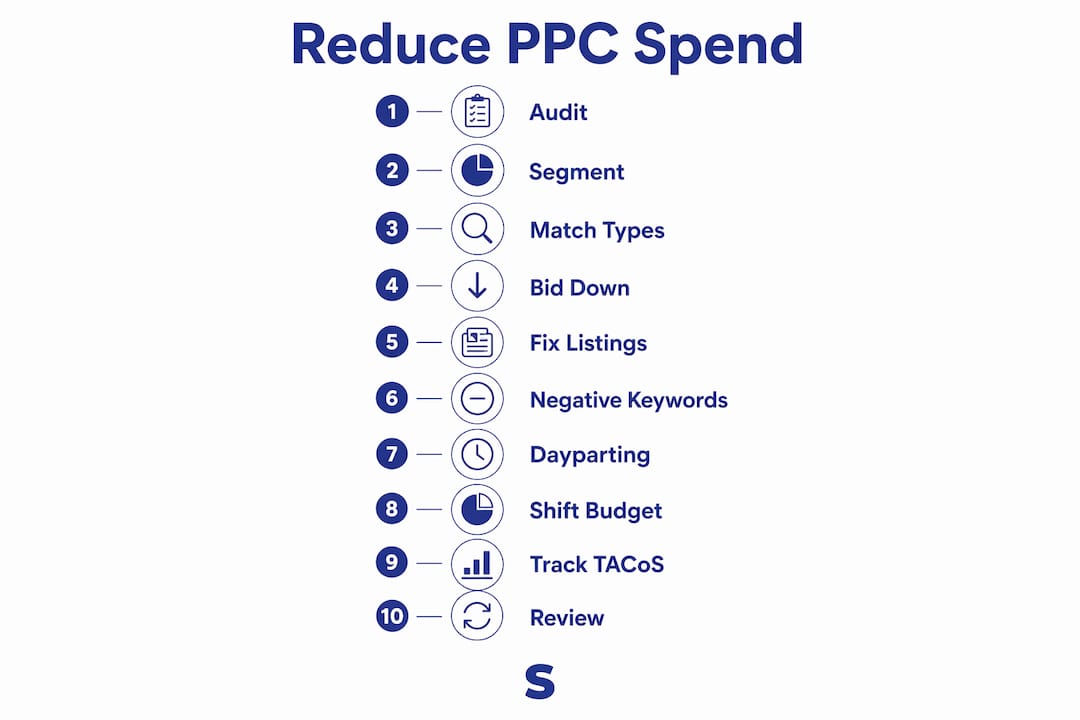
1. Audit your Search Term Report every week
Set a recurring calendar block. Pull the last 7–14 days of data, sort by spend, and identify every query with spend above your target cost-per-order and zero or one order. Add those as negative exact or negative phrase keywords immediately. This single habit, done consistently, is responsible for the majority of ACoS improvements sellers see in the first 30 days.

2. Separate branded and non-branded campaigns
Segmenting campaigns into branded and non-branded categories gives you clear budget control and accurate performance data. Branded campaigns (your brand name as the keyword) typically convert at a higher rate and should have a protected budget. Non-branded campaigns are where most waste occurs and where your audit attention should concentrate.
3. Apply match types deliberately
Start new keywords on broad or phrase match to gather data, then migrate proven converters to exact match campaigns. Exact match gives you the tightest control over which queries trigger your ads. Running everything on broad match is the fastest way to accumulate irrelevant clicks.
4. Bid down underperforming keywords gradually
Pausing a high-ACoS keyword immediately can damage your organic ranking for that term. Instead, reduce the bid gradually and wait an appropriate period before evaluating again. This approach cuts cost while preserving the ranking signal Amazon’s algorithm uses to determine your organic position.

5. Fix your listing before adjusting bids further
Improving listing elements such as images, titles, A+ content, and review ratings has a stronger impact on ACoS reduction than bid changes alone. If your conversion rate is under 10%, the listing is the bottleneck, not the bid. A 5-point improvement in conversion rate can cut your effective ACoS by a third without touching a single bid.
6. Build and maintain a negative keyword wall
Negative keyword walls block irrelevant traffic systematically. Create a master list of terms that are categorically irrelevant to your product (competitor brand names you do not want to appear for, service-intent queries, unrelated product categories) and apply them as campaign-level negatives across your account. Review and expand this list monthly.
7. Implement dayparting to cut low-value hours
Dayparting can recover 5–15% of wasted ad spend on average by reducing or pausing bids during hours when your category converts poorly. Pull your hourly performance data, identify the dead zones (often late night and early morning for most consumer categories), and schedule bid reductions for those windows.
8. Shift budget toward Sponsored Brands and Sponsored Display
Once your Sponsored Products campaigns are clean and efficient, allocate a portion of budget to Sponsored Brands for top-of-funnel awareness and Sponsored Display for retargeting. This spreads your spend across the purchase funnel and reduces over-reliance on any single ad type.
9. Track TACoS, not just ACoS
ACoS only measures ad revenue. TACoS measures ad spend against total revenue, including organic. A seller aggressively building rank might accept a high ACoS temporarily if TACoS is flat or falling. Focus on TACoS as your north-star metric for overall ad efficiency.
10. Set 30-day review checkpoints
Changes to bids, match types, and negatives need time to accumulate data before you can evaluate them fairly. Set a 30-day checkpoint after any significant structural change. Sellers who optimize weekly but evaluate monthly make better decisions than those who react to daily fluctuations.
Best practices for ongoing Amazon PPC budget allocation
Reducing wasted spend is not a one-time project. The accounts that maintain low ACoS over time are the ones with consistent processes, not just good initial setups.
- Automate alerts for budget anomalies. Set rules in Amazon’s campaign manager to notify you when a campaign’s daily spend exceeds a threshold or when ACoS crosses your break-even point. Catching a runaway campaign on day two is far cheaper than catching it on day fourteen.
- Review and expand your negative keyword list monthly. New search queries appear constantly as Amazon’s algorithm evolves and shopper behavior shifts. A negative list that was comprehensive in January may have significant gaps by March.
- Allocate budget based on performance data, not intuition. Move budget from campaigns with rising TACoS to campaigns with stable or falling TACoS. Let the data drive the reallocation, not assumptions about which products “should” perform well.
- Keep campaign architecture clean. One product per campaign (or one tightly related product group) makes it far easier to diagnose problems and control spend. Mixing 20 products in one campaign obscures which products are driving waste.
- Use AI-powered tools for deeper analysis. Manual audits catch obvious waste, but pattern recognition across hundreds of keywords and campaigns is where AI tools add real value. Platforms like Selloop surface non-obvious inefficiencies that a weekly manual review will miss.
- Monitor TACoS trends quarterly. A quarterly TACoS review tells you whether your ad investment is building organic rank (TACoS falling) or just sustaining paid visibility (TACoS flat or rising). The former is a healthy investment; the latter is a cost center.
- Reassess bid strategies seasonally. Q4 competition inflates CPCs across most categories. A bid strategy that works in July may be wildly inefficient in November. Build seasonal bid reviews into your calendar.
- Integrate new ad placements thoughtfully. Amazon regularly introduces new ad formats and placements. Test them with a small, capped budget before scaling, and measure their TACoS contribution before committing significant spend.
Beyond the tactical checklist, consider your fulfillment fee structure as part of your total cost picture. Sellers who audit both ad spend and fulfillment costs together get a cleaner view of true profitability per unit, which directly informs how aggressive they can afford to be with bids.
How Selloop uses AI to cut ad spend waste faster
Manual PPC management works, but it has a ceiling. The volume of data in a mature Amazon account, hundreds of keywords, dozens of campaigns, thousands of search term rows per week, exceeds what any seller can reliably process in a few hours a week. This is where AI-driven analysis changes the math.
Selloop is an AI-powered Amazon PPC optimization platform built specifically for this problem. It was created by Luis Luengo, an Amazon seller with over 10 years of experience across European marketplaces, and it reflects the kind of tool he wished had existed when he was managing campaigns manually.
The platform’s campaign health scoring gives you an at-a-glance view of which campaigns need attention and which are performing within acceptable parameters. Instead of auditing everything every week, you focus on what the score flags as a priority.
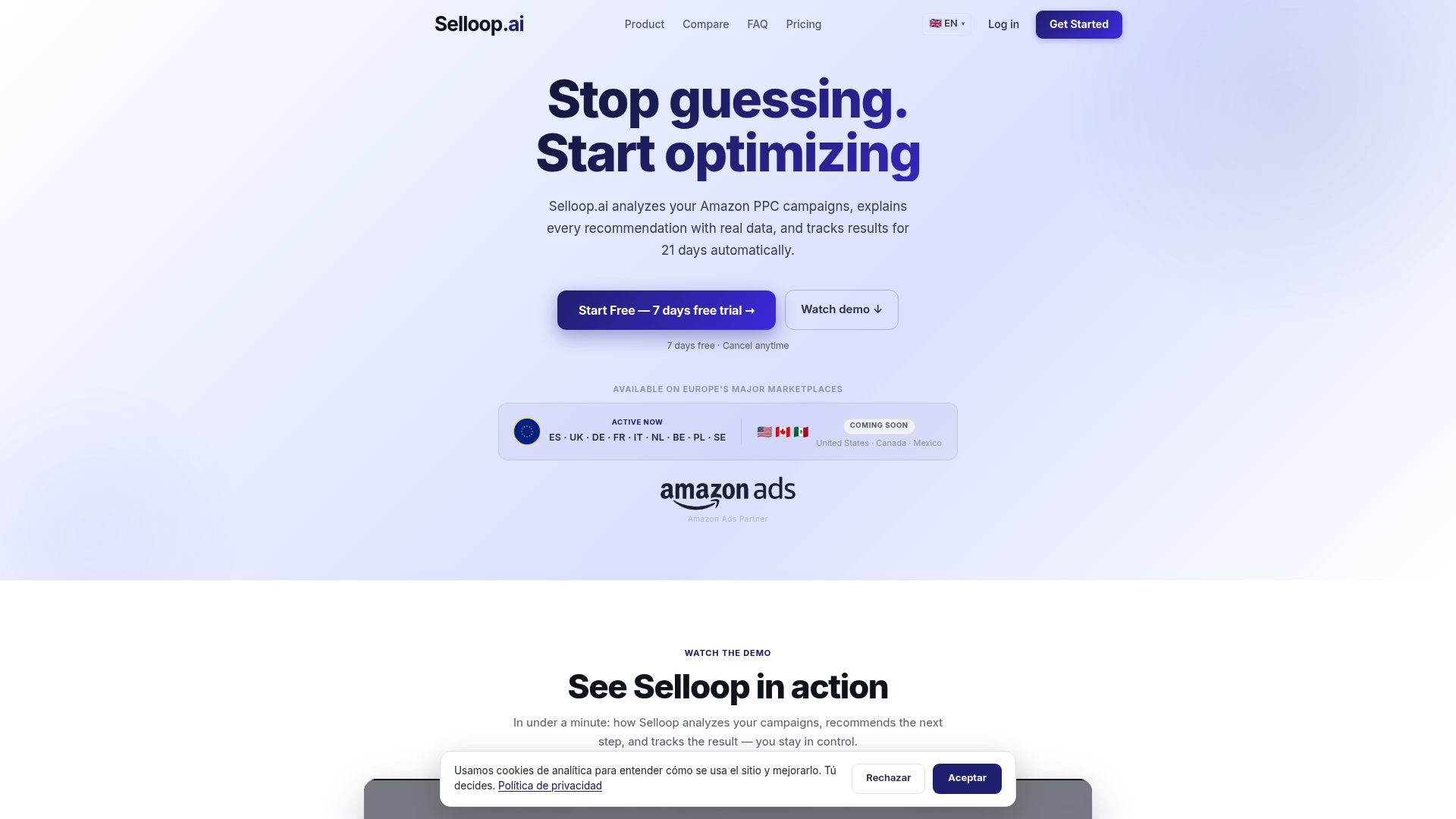
What sets Selloop apart from a generic automation tool is its 21-day result tracking window. After you approve a recommendation and Selloop applies it to your Amazon account, the platform tracks whether that specific change actually improved performance. You see the before and after, not just a dashboard of current metrics. That feedback loop is what most PPC tools skip entirely.
Selloop also automates keyword harvesting and negative keyword suggestions, two of the most time-consuming parts of manual PPC management. The AI identifies high-performing search terms from your auto campaigns and recommends them for promotion to manual campaigns. It flags irrelevant queries for negation before they accumulate significant spend. For sellers managing multiple SKUs or agencies handling multiple client accounts, this alone recovers hours per week.
The platform offers three optimization profiles: conservative, balanced, and aggressive. A seller protecting a profitable, established product might choose conservative. A seller launching a new product and willing to accept higher short-term ACoS to build rank might choose aggressive. The choice is yours; Selloop executes within the parameters you set.
Sellers using Selloop report ACoS reductions in the 15–25% range within 30 days, consistent with what targeted audits and negative keyword discipline produce manually, but without the weekly time investment. For small and medium sellers who cannot justify agency fees or enterprise software costs, Selloop’s plans starting at €29/month with a 7-day free trial represent a meaningful shift in what is accessible.
Selloop gives you cleaner campaigns without the spreadsheet grind
Most sellers know what needs to be done to cut wasted ad spend. The gap is time and data volume. Selloop closes that gap by doing the analysis automatically and presenting recommendations you can approve with one click.
Where manual audits catch the obvious leaks, Selloop finds the patterns buried across hundreds of keywords and weeks of data. It flags the campaign spending $300 a month at 80% ACoS that your weekly review keeps skipping. It surfaces the search term that has been draining $8 a day for three months with no orders. It tells you which bid reduction actually worked and which one needs another adjustment, tracked over 21 days so you have real evidence, not guesswork.
Selloop is built for Amazon sellers who want the results of professional PPC management without paying agency prices or spending their evenings in spreadsheets. Whether you are managing five SKUs or fifty, the platform scales with your account and adapts to your risk tolerance through its three optimization profiles.
The negative keyword strategies Selloop automates are the same ones this article covers, but applied continuously and at a speed no manual process can match. Start your 7-day free trial at selloop.ai and see which campaigns are leaking budget before the next billing cycle hits.
Key Takeaways
Cutting wasted Amazon ad spend comes down to one discipline applied consistently: finding clicks that never convert and stopping them before they compound into significant losses.
| Point | Details |
|---|---|
| Audit search term reports weekly | Filter for high-spend, zero-order queries and negate them immediately to stop recurring waste. |
| Bid down, never pause abruptly | Reduce underperforming keyword bids by 20–25% gradually to cut cost without losing organic ranking. |
| Dayparting recovers real budget | Adjusting bids during low-conversion hours recovers 5–15% of wasted spend on average across most categories. |
| Fix listings before fixing bids | Improving images, titles, and A+ content reduces ACoS more than bid changes alone when conversion rate is under 10%. |
| Selloop automates the hard parts | Selloop’s AI flags wasted spend, suggests negatives, and tracks the impact of every change over a 21-day window, starting at €29/month. |